
Surface Area for Mobile Workstations: How Much You Actually Need
ExtremeSpec is reader-supported: some links on this page are affiliate links, and as an Amazon Associate ExtremeSpec earns from qualifying purchases at no extra cost to you. Learn more.
Surface area for a mobile workstation should range between 1,200 sq in and 3,000 sq in depending on the required equipment. You need at least 1,200 sq in if you only use a laptop and a mouse, but you should aim for 2,400 sq in if you intend to use a large external monitor alongside your primary device.
Recommended Surface Area for Mobile Workstations
| Use Case | Recommended Surface Area | Why this number |
|---|---|---|
| Basic Mobility | 1,200 – 1,500 sq in | Provides enough space for a 15-inch laptop and a standard peripheral like a mouse or small tablet. |
| Dual Screen Setup | 1,800 – 2,400 sq in | Accommodates a laptop plus a 24-inch external monitor while leaving room for peripheral input devices. |
| Creative Production | 2,400 – 3,000 sq in | Allows for a large primary monitor, a secondary screen, and dedicated space for a graphics tablet or hardware interface. |
| Collaborative Hub | 3,000+ sq in | Provides enough room for a workstation and a secondary seating area or multiple shared peripheral devices. |
Products in this category with a full review here
From $114.99 to $1499.99: 3 of the 7 in this category we have reviewed in full.
Beginners can start by reading our guide on how a mobile workstation works and what it is.

What happens if you underbuy or overbuy on Surface Area?
Underbuying on surface area creates a physical bottleneck where the workspace becomes a source of friction rather than a tool for productivity. When the available surface area is less than 1,200 sq in, you may find that your peripheral devices, such as a mouse or a notepad, compete for the same space as your laptop. This lack of clearance forces you to move items constantly or work in a cramped posture that can lead to physical strain. If you require a secondary monitor but choose a surface area under 1,800 sq in, the monitor may overhang the edge of the desk or block your access to the laptop’s keyboard and trackpad.
How excessive surface area reduces the portability of a luggable workstation
Overbuying on surface area introduces a cost in both physical footprint and portability, which are core requirements for a luggable workstation. A surface area exceeding 3,000 sq in often requires a larger physical footprint that may not fit in a standard office nook or a small apartment corner. Because larger surface areas generally correlate with heavier materials and longer dimensions, a massive surface area can make the workstation harder to move between locations or store when not in use. You pay for empty space that serves no functional purpose, effectively wasting the budget on a larger footprint that provides no additional utility for your specific hardware configuration.
Consider looking into mobile workstation alternatives for the same result if a standard desk won’t fit.
What is the most common mistake with Surface Area?
Buyers often mistake total surface area for usable workspace, leading them to select a surface that is technically large enough but practically unusable. A common mistake is selecting a surface that is very deep but narrow, or vice-versa, without considering how your specific hardware sits on the top. For example, a surface that is 30 inches wide might technically meet a square inch requirement but will not fit a 27-inch monitor and a laptop side-by-side.
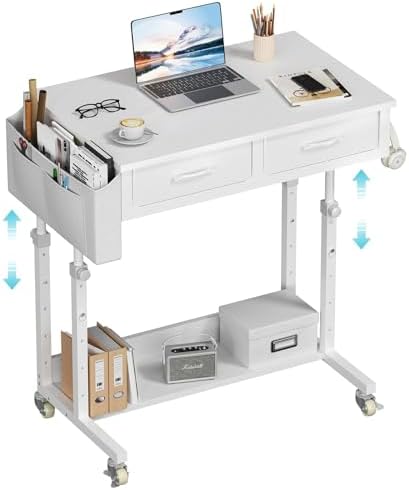
We provide a detailed analysis in our full WINAZ Rolling Desk spec breakdown.
Why measuring the primary work zone provides better surface area targets
Instead of focusing solely on the total square inches, you should optimize for the “primary work zone” dimensions. This is the area directly in front of your seating position where your hands and primary screen reside. If you use a laptop as your primary screen, you need to ensure the depth of the surface allows for a comfortable distance between your eyes and the screen. If you use an external monitor, you must ensure the width of the surface accommodates the monitor’s stand and the laptop’s footprint simultaneously. Measure the width of your largest intended monitor and add 12 inches for peripheral clearance; this width is a more accurate target than a total square inch count.
How does Surface Area interact with other mobile workstation specs?
Surface area is a secondary constraint that is often limited by the weight capacity of the workstation. If you select a large surface area that exceeds 2,500 sq in, you must verify that the structure can support the weight of the heavy components typically found on such a large area, such as multiple monitors and a docking station. A high surface area figure is wasted if the weight capacity is insufficient to hold your gear without the surface bowing or the legs buckling.
You can find our technical analysis in our full Balt Pop Workstation review.
Balancing large surface area dimensions with daily transport requirements
Surface area also interacts with the portability of the luggable workstation. A large surface area often requires a larger footprint, which may conflict with your requirements for a device that needs to be moved frequently. If the workstation is intended to be moved daily, a surface area over 2,000 sq in may become a liability because it increases the physical bulk of the unit. You must balance the need for space with the physical dimensions of your transport method, such as whether the workstation can fit through a standard doorway or into a vehicle.
Check out the technical details in our full SOHO Mobile Workstation review.
How the workstation lift system limits maximum surface area size
Finally, surface area is limited by the height adjustment range of the workstation. If you have a very large surface area, the leverage exerted on the lifting mechanism increases. You should ensure that the height adjustment range remains smooth and stable even when the surface is at its maximum weight capacity. If the workstation’s height adjustment feels unstable when fully loaded, the surface area is effectively too large for the internal engineering of the lift system. You should prioritize a surface area that allows for your hardware while remaining within the structural limits of the workstation’s frame.
How much Surface Area do you need for your specific setup?
When you sit down to work and find yourself pushing your mouse to the edge of the desk just to make room for your notebook, you have exceeded your required surface area. For a standard mobile workstation setup, you need enough space to lay out your primary device and your most-used peripheral without them overlapping. If you are planning to use a 27-inch monitor as your primary display, you need a surface area that can accommodate a width of at least 30 inches to allow for the monitor’s stand and a laptop sitting to the side.
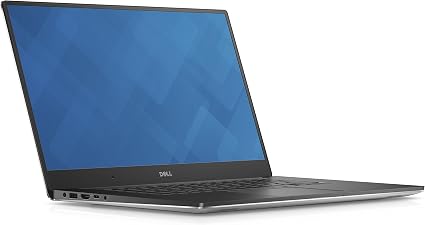
Technical enthusiasts can see how the Precision 5520 performs in our data-driven breakdown.
Calculating required surface area based on monitor and laptop width
To determine your specific needs, measure the width of your largest monitor and the width of your laptop. Add 6 inches to the total of these two numbers to account for the space needed for a mouse and a notepad. If your total width requirement is 36 inches or more, you should look for a surface area that provides at least 2,400 sq in to ensure you have sufficient depth for your arms to rest comfortably. If your total width is less than 30 inches, a surface area of 1,500 sq in is likely sufficient for a single-screen setup.