
AI GPU Warranties: What to Check Before You Buy
ExtremeSpec is reader-supported: some links on this page are affiliate links, and as an Amazon Associate ExtremeSpec earns from qualifying purchases at no extra cost to you. Learn more.
AI GPU warranties typically span a range of 3 years for hardware defects, though many standard retail protections default to 1 year. The most common reason a claim in this category is refused is the identification of “user-induced” damage, which often includes signs of improper cooling or electrical surges. You need a 3-year coverage period if you intend to use the hardware for sustained, high-utilization workloads, as these environments increase the probability of component fatigue over time. You should identify the specific warranty duration for your region by checking the manufacturer’s official documentation for the model you select.
What does an AI GPU warranty normally cover and exclude?
An AI GPU warranty normally covers manufacturing defects in the silicon, the PCB (Printed Circuit Board), and the cooling assembly. These protections ensure that if a component fails due to a material flaw or a soldering error, the manufacturer replaces or repairs the unit. Because AI GPUs operate at high temperatures and high power draws, the definition of “manufacturing defect” often centers on the stability of the VRAM and the core processor.
New users should start by viewing our top picks for beginners.
Hardware replacement coverage excludes software issues and thermal damage
If the hardware fails to initialize or shows visual artifacts during standard operation, the warranty provides a pathway for a replacement. However, these protections are strictly limited to the physical hardware and do not extend to software compatibility, driver issues, or performance degradation caused by software optimization. A warranty is like a car’s bumper: it protects the structure if a known external force hits it, but it does not cover the engine if you run out of fuel. If a claim is denied because the hardware was pushed beyond its stated thermal limits, the buyer loses the full replacement value of the unit.
For more power, look at the best GPU for high performance AI under $800.
- Manufacturing defects in the GPU core and VRAM modules
- Faulty solder joints on the PCB
- Failures in the integrated cooling fan or heat sink assembly
- Dead on arrival (DOA) units that fail to power on
Non-standard power supplies and voltage spikes void GPU warranties
Warranty exclusions for AI GPUs are often more specific than for standard consumer electronics due to the heavy electrical demands of the hardware. Most manufacturers exclude damage caused by “non-standard” power supplies or improper voltage regulation. This means if the power delivery system provides a spike that fries the circuitry, the warranty will not apply because the fault originated outside the GPU itself.
If space is limited, see the best graphics card for low profile PC configurations.
- Physical damage including cracked PCBs or torn cooling fins
- Damage from liquid spills or extreme environmental moisture
- Operation in environments exceeding the rated operating temperature
- Use of third-party mining rigs or unauthorized overclocking software
- Damage resulting from power surges or lightning strikes
Examples from this category, each with its own review here
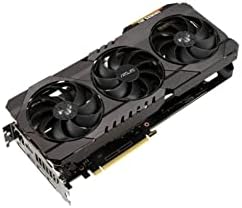
3 options shown here, $129.99 to $324.49, each with its own full review behind its name.
Understanding your potential investment is easier when you see what AI GPUs cost at every level.


How does the purchase source affect AI GPU warranty claims?
The purchase source determines the legal entity responsible for the hardware and the complexity of the return path. When a buyer purchases an AI GPU directly from the manufacturer, the claim process is usually the most direct, as the manufacturer handles the repair without a middleman. This path is most reliable for high-end hardware where the manufacturer may have specific testing protocols for AI workloads.
Buying from authorised retailers provides faster replacement windows
Buying from an authorised retailer provides a secondary layer of protection where the retailer may offer a short-term replacement period before the manufacturer’s warranty takes over. In this scenario, the retailer acts as the first point of contact, and the buyer must follow the retailer’s specific return window, which is often 14 to 30 days. If the retailer is not authorised, they may not have the ability to ship the unit back to the manufacturer for repair, which can delay a claim by weeks.
Beginners can start with our guide on how an AI GPU works.
Marketplace sellers may lack ownership of the original warranty
Marketplace sellers, such as those on large third-party platforms, introduce significant risk because the seller may not be the actual owner of the warranty. A buyer may receive a unit from a marketplace seller that has already been sold in another region, making a warranty claim impossible. In these cases, the buyer often has no recourse other than the platform’s internal dispute resolution, which may only offer a partial refund.
To understand processing power, see how many CUDA cores for AI GPUs are necessary.
Refurbished AI GPUs have shorter and separate replacement windows
Refurbished or open-box sellers typically provide a limited warranty that is separate from and shorter than the original manufacturer’s warranty. These units often come with a 30 to 90-day replacement window, after which the buyer has no coverage. Because these units have been previously owned, the “original” warranty may have already expired or been voided by the previous owner’s usage.
If dedicated hardware is unavailable, explore the alternatives to an AI GPU.
Grey-market imports may lack local manufacturer warranty registration
An importer or grey-market seller provides the highest risk for warranty claims because the hardware was not intended for the local market. If a component fails, the manufacturer may refuse the claim because the serial number is not registered in the local region’s database. This can result in the buyer having to pay for international shipping to a different country just to receive a repair, often costing more than the hardware is worth.
Different use cases require different hardware, so see the various types of AI GPUs.
What actions void an AI GPU warranty?
Actions that void an AI GPU warranty generally involve any modification that alters the electrical or physical integrity of the hardware. The most common way coverage is voided is through “hard” modifications, such as desoldering components or installing custom water blocks that require drilling into the PCB. These actions change the physical state of the board, making it impossible for a technician to determine if a failure was a manufacturing defect or a result of the modification.
Specialized firmware modifications can void GPU hardware coverage
Software-based modifications can also void coverage if they result in permanent hardware damage. While standard overclocking is often tolerated, using specialized firmware to bypass factory power limits can be flagged as “intentional abuse” during a diagnostic check. If a technician finds that the power delivery system has been pushed beyond its rated TDP, they can deny the claim based on the evidence of over-voltage.
We provide a detailed look at our full OneXGPU 2 spec breakdown.
High humidity and poor ventilation cause non-covered corrosion damage
Environmental factors also play a role in voiding the warranty. If a GPU shows signs of “corrosion” or “pitting” on the PCB, the warranty is voided because these are signs of improper storage or operation in high-humidity environments. This is a common failure point for users who do not have adequate ventilation in their server racks or workstations.
Check out our full Quadro RTX 4000 review for professional details.
What should you do before buying to ensure a future warranty claim works?
To ensure a future warranty claim works, you must establish a verifiable chain of ownership and a baseline of functional health at the moment of purchase. This involves documenting the condition of the hardware before it is integrated into your system. A buyer who can prove the unit was functional upon arrival has a much higher success rate in disputes involving “dead on arrival” hardware.
Older hardware remains viable; see our full Radeon RX 560 review.
Follow these steps before finalizing your purchase and installing the hardware:
Compare older hardware by viewing our full GTX 1050 Ti review.
- Capture a video of the unboxing and the first time the unit powers on to confirm no physical damage or immediate failure.
- Record the serial number and the specific manufacturing date from the sticker on the back of the PCB.
- Verify that the seller is an authorised distributor for your specific region to ensure the warranty is valid locally.
- Check the manufacturer’s website to confirm the specific warranty duration for the model you are purchasing.
- Keep the original packaging and all included accessories, as many manufacturers require the original box for return shipping.
- Document the power supply and thermal environment you use to show the hardware is being operated within its rated specifications.
When is an extended warranty worth it for an AI GPU?
An extended warranty is worth it for an AI GPU if you plan to run the hardware at 100% utilization for more than 12 hours a day, or if the cost of a replacement unit exceeds 50% of the total cost of the system. In these high-intensity scenarios, the risk of component fatigue in the VRAM or the power delivery system is statistically higher. If you are a casual user who only runs occasional inference tasks or small-scale training, the standard manufacturer warranty is usually sufficient.