
Processor Architecture for Mini Servers: How to Choose Yours
ExtremeSpec is reader-supported: some links on this page are affiliate links, and as an Amazon Associate ExtremeSpec earns from qualifying purchases at no extra cost to you. Learn more.
Processor architecture for a mini server is the underlying design and instruction set of the central processing unit that determines how the hardware handles software tasks. The specific architecture you choose depends on the software you intend to run and the hardware compatibility requirements of your existing infrastructure.
Developers requiring high-speed compilation should view our mini server for development guide.
Which Processor Architecture Suits Your Mini Server Needs?
| If this is you | The Processor Architecture that suits you | Why |
|---|---|---|
| You need to run standard Windows applications or legacy enterprise software. | x86_64 | This architecture ensures compatibility with the vast majority of consumer and business software. |
| You are deploying high-density Docker containers or ZFS file systems. | x86_64 | x86_64 provides the necessary instruction set support for complex virtualization and advanced file systems. |
| You need to run low-power, high-efficiency home lab services like Pi-hole or a basic file share. | ARM64 | ARM64 architecture allows for high performance per watt, reducing heat and power consumption in small form factors. |
| You are building a specialized cloud infrastructure or a massive container cluster. | ARM64 | ARM64 offers a path to high core counts and efficient scaling for specific cloud-native workloads. |
Mini Servers we have reviewed in detail
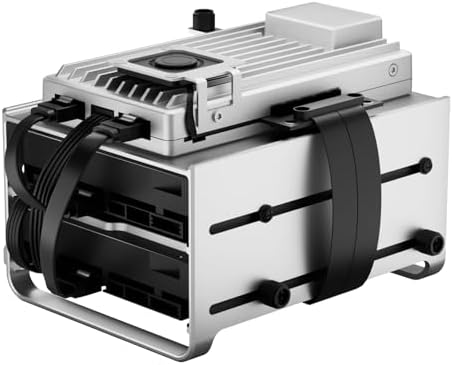
Prices across these 3 run from $329 to $699.95; each one has a full review here.
Budget-conscious businesses can find the best mini server for small office under $1000 recommendations.


How to Measure and Establish Your Processor Architecture Requirements
To establish which processor architecture you need, you must first identify the software stack your mini server will host. Look at the “System Requirements” section of the primary application or operating system you plan to install. Most modern desktop operating systems and enterprise applications will explicitly list x86_64 as the required architecture. If the software is designed for mobile devices or specific cloud environments, it may list ARM64 as the compatible instruction set.
For heavy-duty environments, compare the best mini server for industrial use hardware.
Checking software binary compatibility determines the required mini server architecture
Determine your requirement by checking the binary compatibility of your software. If you are running a pre-compiled application, check the file properties or the download page to see if it is a “x86” or “x64” build, or an “ARM” build. For instance, if you plan to run a specialized media transcoder that only provides a native binary for Intel or AMD chips, you must select an x86_64 architecture. If you are developing your own software, you can choose either, but you must decide if you need the broad software library support of x86_64 or the power efficiency of ARM64.
Hobbyists can find the best mini server for home lab configurations.
Verifying hypervisor support ensures compatibility for virtual machine workloads
Check the hardware requirements for your specific virtualization needs. If you plan to use a hypervisor like Proxmox or ESXi to run multiple virtual machines, verify that the hypervisor supports the architecture of the software you want to run inside those machines. Most enterprise-grade hypervisors are optimized for x86_64, which provides the most stable environment for diverse workloads. If you choose a different path, verify that your specific software has a compiled version for that architecture before purchasing the hardware.
Selecting the right memory depends on required RAM capacity for mini servers for your tasks.
What Goes Wrong When Choosing the Wrong Processor Architecture?
Selecting a processor architecture that is too specialized for your needs often results in software incompatibility. If you choose an ARM64 architecture for a mini server but find that your primary business application only runs on x86_64, the software will fail to launch entirely. You cannot simply “emulate” the missing instructions without a massive loss in performance, which often makes the server unusable for real-time tasks. This mistake forces a complete hardware replacement because the instruction set is baked into the physical silicon of the processor.
Beginners can start by viewing how a mini server works and its core functions.
Insufficient instruction support causes software bloat and performance bottlenecks
Choosing a processor architecture with insufficient instruction support for your specific tasks can lead to “software bloat” or performance bottlenecks. For example, if a software package requires specific hardware acceleration instructions that are absent in a chosen architecture, the software may fall back to a slower software-based processing method. This results in high CPU usage and slow response times even when the processor appears to have available capacity. You might find the server struggling to process a simple video stream or a database query because the underlying architecture cannot execute those specific commands efficiently.
If these hardware options aren’t ideal, look at mini server alternatives for similar results.
Choosing x86_64 for low power tasks increases heat and costs
Conversely, choosing an x86_64 architecture for a simple, low-power task where ARM64 would suffice can lead to unnecessary heat and power costs. While the software will run perfectly, the hardware may draw significantly more power than required for the task. In a fanless mini server, this can lead to thermal throttling, where the processor slows itself down to prevent overheating. If you are running a simple network utility, the extra power consumption of a high-performance x86_64 chip may result in a higher electricity bill and a hotter environment than necessary for the workload.
Ensure your hardware meets requirements by checking mini server certifications and safety standards.
What to Do When You Fall Between Processor Architecture Choices?
When your requirements fall between x86_64 and ARM64, the decision usually hinges on the software ecosystem you prioritize. If you are unsure if your future software needs will require x86_64, the safest path is usually to choose x86_64. This architecture provides the widest compatibility for third-party applications, drivers, and legacy tools. While it may be less power-efficient than ARM64 in some scenarios, it eliminates the risk of being unable to run a critical piece of software later.
Different use cases require different hardware, so see the different types of mini servers explained.
Selecting between ARM64 and x86_64 for high traffic web servers
Consider the specific job of running a high-traffic web server for a small business. If the server needs to handle many simultaneous connections while staying cool in a closet, would you prefer a high-efficiency ARM64 chip or a standard x86_64 chip? Because the application is standard, an x86_64 chip ensures that every possible web server plugin and database tool will work without modification. If your priority is strictly power consumption and you are only running a few specific tasks, ARM64 becomes the more logical choice.
Low-power efficiency seekers can view our full Intel N100 Mini PC review.
Reviewing instruction set requirements helps choose the correct mini server
If you are caught between these two and cannot decide, look at the “Instruction Set” requirements of your most important piece of software. If that software is the only thing you plan to run, choose the architecture it supports natively. If you plan to run many different types of software over the next three years, x86_64 is the standard choice for most users. If you choose a path and find it is not what you needed, remember that most mini servers have a standard return policy, allowing you to return the hardware if the software does not run as expected.
For a detailed analysis of this NAS, see our full Zimaboard 2 1664 review.