
Precision Formats for AI GPUs: How to Choose Yours
ExtremeSpec is reader-supported: some links on this page are affiliate links, and as an Amazon Associate ExtremeSpec earns from qualifying purchases at no extra cost to you. Learn more.
Precision Formats for AI GPUs are numerical representations that determine how much data each weight and activation occupies in memory. You choose a format based on whether your priority is maximum mathematical accuracy or the speed and memory efficiency required to run large models.
Which Precision Format Suits Your AI GPU Needs?
| If this is you | The Precision Format that suits you | Why |
|---|---|---|
| You are training a new model from scratch or need extreme accuracy for scientific simulations | FP32 (Full Precision) | It uses 32 bits per value to ensure no significant data is lost during complex weight updates. |
| You are fine-tuning an existing model and need a balance of speed and stability | FP16 or BF16 (Half Precision) | These 16-bit formats provide enough range for most gradients while doubling the throughput of 32-bit math. |
| You are running a large language model (LLM) for inference and want to maximize speed | FP8 (8-bit Floating Point) | It reduces the memory footprint significantly, allowing larger models to fit into the GPU’s local memory. |
| You are deploying a production model where memory limits are the primary constraint | INT8 or INT4 (Integer Quantization) | These formats convert weights into whole numbers, drastically reducing the amount of VRAM required to hold the model. |
Where these choices show up in our reviews
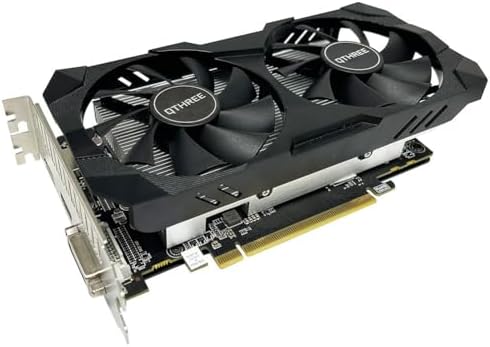
Prices across these 3 run from $127.99 to $799.99; each one has a full review here.
If you are on a strict budget, see the best GPU for budget AI projects under $300.


How do I establish my required Precision Format before ordering?
Establishing your required Precision Format involves identifying the specific model size you intend to run and the available VRAM on the hardware you are considering. You must determine if the model’s weights, when converted to a specific format, will fit into the GPU’s local memory without triggering an Out of Memory (OOM) error, which occurs when the weights and the KV cache exceed the available VRAM.
Calculating the memory footprint of your model
To find the required value, you must multiply the number of parameters in your model by the number of bits used by the precision format. For example, a 70 billion parameter model stored in 16-bit precision (FP16 or BF16) requires approximately 140 GB of VRAM just to hold the weights. If you move that same 70 billion parameter model to 4-bit integer precision (INT4), the weight requirement drops to approximately 35 GB. You can find the model parameter count in the documentation provided by the model creator, such as the Hugging Face model card.
If dedicated hardware is too pricey, explore the alternatives to an AI GPU for your project.
Locating the VRAM capacity on the GPU spec sheet
You can find the GPU’s memory capacity in the “VRAM” or “Memory Size” section of the technical specifications. This is a fixed hardware limit. When evaluating an AI GPU, you must ensure that the VRAM capacity is larger than the calculated weight footprint plus the overhead required for the KV cache, which is the memory used to store the context of your conversation. If your calculated weight footprint is 35 GB and the GPU only has 24 GB of VRAM, the model will not run on that hardware regardless of the precision format chosen.
What happens if I choose a Precision Format that is too low or too high?
Choosing a Precision Format that is too low results in a loss of numerical precision, which manifests as “degraded output” or “hallucinations” in large language models. When you compress a model into an 8-bit or 4-bit format, you are essentially rounding the numbers that represent the model’s knowledge. If the rounding is too aggressive, the model may lose the ability to perform complex reasoning or may begin to output gibberish because the subtle relationships between data points have been erased.
For enterprise reliability, see our full Quadro RTX 4000 review and spec breakdown.
High precision formats cause memory exhaustion and OOM errors
A Precision Format that is too high results in “memory exhaustion” or “OOM errors.” If you attempt to run a model using FP32 (32-bit) precision on a GPU with limited VRAM, the hardware will run out of space before the model can even load. This is because 32-bit values take up four times as much space as 16-bit values. In this scenario, the hardware cannot complete the task, and the software will crash immediately upon startup or during the first inference pass.
What should I do if my requirements fall between two Precision Formats?
When your requirements fall between two Precision Formats, you should prioritize the format that allows the model to fit into the VRAM while maintaining the minimum acceptable accuracy for your specific task. If you are unsure if a model will maintain its intelligence at a lower precision, you can use a “mixed precision” approach. This involves keeping the most critical parts of the model in a higher precision, like BF16, while quantizing the less sensitive layers to a lower precision like INT8.
You can also find our full Radeon RX 560 review to see its entry-level capabilities.
Choosing between 8-bit and 16-bit precision based on application
If you are caught between choosing a faster 8-bit format and a more accurate 16-bit format, check the specific requirements of your application. For creative writing or general chat, 8-bit precision often provides a level of accuracy that is indistinguishable from 16-bit to the average user. However, if you are using the AI GPU for coding, medical analysis, or complex mathematics, the extra precision of a 16-bit format is often necessary to ensure the output remains reliable. When in doubt, start with the higher precision format that fits your VRAM and only move to a lower precision if you need to fit a larger model or increase your inference speed.
Understanding the standards of FP16, BF16, and INT8
Understanding the standards of FP16, BF16, and INT8 is essential because these terms describe how the GPU hardware handles the math. FP16 (Half Precision) uses 16 bits to represent a number, providing a balance of range and precision. BF16 (Bfloat16) also uses 16 bits but allocates more of those bits to the exponent, which allows it to represent a wider range of numbers than FP16, making it more stable for training deep learning models.
For a balanced mid-range option, look at our full RX 5700 XT Gaming X review.
How INT8 and INT4 quantization formats compress AI models
INT8 (8-bit Integer) and INT4 (4-bit Integer) are quantization formats. These do not use floating-point numbers; instead, they map the weights to a range of whole numbers. This is similar to how a high-resolution photo can be compressed into a smaller file size by reducing the number of colors; the image remains recognizable, but some fine detail is lost. For AI GPUs, this compression allows you to run much larger models on the same amount of hardware, provided the loss of detail does not affect the specific task you are performing.
How memory bandwidth affects precision performance
Memory bandwidth measures the speed at which data moves between the memory and the processor. While the Precision Format determines how much space a weight takes up, memory bandwidth determines how quickly the GPU can “read” those weights. Using a lower precision format like FP8 or INT8 reduces the amount of data that needs to move across the bus, which can significantly increase the number of tokens per second the GPU can generate. If your goal is maximum speed for a live application, a lower precision format combined with high memory bandwidth is the most effective combination.
High-speed rendering is possible by viewing our full RTX 3070 V2 review and analysis.
The role of software ecosystems in precision handling
The software ecosystem, such as CUDA or ROCm, determines how easily you can implement these different precision formats. Some formats, like FP8, require specific hardware support and software libraries to function correctly. Before choosing a format, you must ensure that the software you intend to use (such as PyTorch or vLLM) supports that specific precision on the hardware you are purchasing. If the software does not support 4-bit quantization for your specific model, you will be forced to use a higher precision format regardless of your VRAM capacity.