
Network Throughput for Mini Servers: How Much You Actually Need
ExtremeSpec is reader-supported: some links on this page are affiliate links, and as an Amazon Associate ExtremeSpec earns from qualifying purchases at no extra cost to you. Learn more.
Network throughput for a mini server should be at least 1 GbE for standard home use and 10 GbE for high-performance storage or heavy virtualization. You need to determine your requirement by identifying the maximum amount of data you intend to move per second, typically between 100 MB/s and 1,250 MB/s for most home lab configurations.
Recommended Network Throughput by Use Case
| Use Case | Recommended Network Throughput | Why this number |
|---|---|---|
| Firewall or Gateway Appliance | 1 GbE | High traffic routing requires a steady 1 GbE flow to prevent bottlenecks during peak usage. |
| Personal Website and Database | 1 GbE | Standard web requests and SQL queries typically require less than 100 MB/s of throughput. |
| Home Media Server (Plex/Jellyfin) | 1 GbE | Streaming 4K video requires roughly 25-50 Mbps, well under the 1 GbE capacity. |
| NAS for Video Editing | 10 GbE | Editing 4K RAW footage directly from a server requires 1,000 MB/s to avoid stuttering. |
| Virtual Machine Hosting | 10 GbE | Running multiple containers or VMs requires high throughput to move data between virtual interfaces. |
Products in this category with a full review here
From $329 to $699.95: the 3 in this category we have reviewed in full.
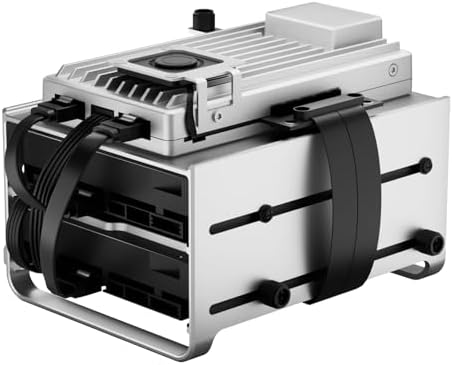


What happens if you go under or overbuy on Network Throughput?
Going under your required network throughput creates a bottleneck where the physical connection limits the speed of your data transfers. If you host a database but only have a 100 Mbps (0.1 GbE) connection, a large query might take seconds to return instead of milliseconds, causing applications to hang or time out. This occurs because the hardware is capable of processing the request faster than the wire can deliver the bits.
Selecting the right architecture is simplified by our guide on choosing processor architecture for mini servers.
Standard gigabit switches cap the throughput of 10 GbE mini servers
Overbuying on network throughput involves paying for 10 GbE hardware when your local network infrastructure cannot support it. If you install a 10 GbE mini server but connect it to a standard gigabit switch or a consumer router, the throughput will still be capped at 1 GbE. This results in a wasted investment in expensive network interface cards (NICs) and specialized cabling that provides no measurable speed increase for the end user.
What is the most common mistake with Network Throughput?
The most common mistake is confusing internet bandwidth with internal network throughput. Internet bandwidth is the speed provided by your ISP to your house, while network throughput is the speed at which data moves between your devices on the local area network (LAN).
Detailed hardware specifications are available in our full Supermicro A1SRi-2558F review.
Internet speed depends on ISP limits rather than mini server hardware
Buyers often assume that a 1 GbE mini server will make their internet faster, but the server cannot provide more speed than the ISP delivers to the router. Instead, you should optimize for internal throughput if your goal is to move files quickly between a laptop and the server. If your goal is faster web browsing, the internal throughput of the mini server is secondary to the quality of the WAN connection and the processing power of the server’s CPU.
Identifying the real speed bottleneck
To decide if you need more than 1 GbE, count how many devices will access the server simultaneously during your heaviest task.
Low-power enthusiasts can see how the Intel N100 Mini PC performs in our analysis.
How Network Throughput interacts with other mini server specs
Network throughput interacts with the storage interface because the disk’s read and write speed must exceed the network’s capacity to maintain maximum throughput. If your mini server has a 10 GbE network port but uses a slow SATA hard drive that only reads at 150 MB/s, your network speed will be limited to that of the drive, not the 1,250 MB/s the network can handle.
Processor speed determines how much data a mini server can process
Processor speed also plays a role when the server must perform real-time tasks on the data as it moves through the network. For example, a server performing deep packet inspection or heavy encryption will see its throughput drop if the CPU cannot process the packets fast enough. In these cases, a high GbE rating is wasted if the processor lacks the cycles to handle the data volume.
Check out our full spec breakdown of the Zimaboard 2 1664 to see its capabilities.
The role of RAM in data throughput
RAM capacity acts as a buffer for incoming network data, allowing the server to manage multiple simultaneous connections without dropping packets. If you have high network throughput but insufficient RAM, the system may struggle to maintain a stable connection during heavy multi-user access, leading to latency spikes.
The importance of cabling and switches
The physical infrastructure determines whether the GbE rating on a mini server is usable. 1 GbE requires Cat5e or Cat6 cabling, while 10 GbE often requires Cat6a or specialized SFP+ fiber connections to maintain full speeds over distance. If your switch does not support the specific standard of the mini server‘s port, the hardware will automatically negotiate down to the highest common denominator, often resulting in significantly lower speeds than the advertised rating.