
CUDA Cores for AI GPUs: How Much You Actually Need
ExtremeSpec is reader-supported: some links on this page are affiliate links, and as an Amazon Associate ExtremeSpec earns from qualifying purchases at no extra cost to you. Learn more.
CUDA Cores for AI GPU requirements depend on the model size and task complexity, typically ranging from 2,000 to over 10,000 units. You need a minimum of 3,000 CUDA Cores for basic inference on small language models, while larger training tasks often require 10,000 CUDA Cores or more to maintain reasonable processing speeds.
Recommended CUDA Core Counts by AI Use Case
| Use Case | Recommended CUDA Cores | Why this number |
|---|---|---|
| Small Language Model Inference | 2,000 – 4,000 | Provides sufficient parallel processing for 1B to 7B parameter models at acceptable speeds. |
| Medium Model Inference | 4,000 – 8,000 | Balances throughput for 7B to 13B models without requiring enterprise-grade hardware. |
| Fine-tuning Small Models | 8,000 – 10,000 | Increases the number of simultaneous operations to reduce the time spent on gradient updates. |
| Large Model Inference | 10,000+ | Necessary to handle the high computational load of 30B+ parameter models in a reasonable timeframe. |
| Heavy Model Training | 10,000+ | Required for high-volume matrix multiplications during the training of large-scale neural networks. |
AI GPUs we have reviewed in detail
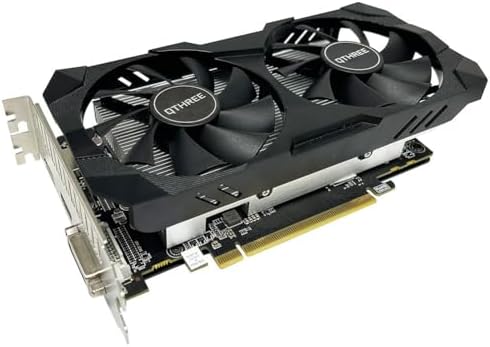
Each of the 3 shown here has its own full review on this site; they run from $124.99 to $189.99.
New users can start their journey by looking at our recommended GPU for beginners guide.


What Happens if You Underbuy or Overbuy CUDA Cores
The Impact of Underbuying CUDA Cores
Underbuying CUDA Cores means the hardware lacks the necessary parallel processing units to handle the mathematical workload of your AI model. If you select an AI GPU with fewer than 3,000 CUDA Cores for a 7B parameter model, the processing time for a single prompt may stretch into several seconds or even minutes. This bottleneck occurs because the GPU must cycle through the data in smaller chunks, leading to a sluggish user experience where the output generates word-by-word at a crawl. You will notice this most when running models that require high-speed token generation for real-time applications.
Low CUDA Core counts increase processing time for real-time AI interactions
The delay is a direct result of the count of processing units. Fewer cores mean fewer simultaneous calculations. This does not change the final result of the AI, but it dictates the speed at which you receive it. If your goal is real-time interaction, staying below the recommended thresholds for your specific model size will make the tool feel unresponsive.
Understanding the market is easier when you see how much different AI GPUs cost at every level.
The Real Cost of Overbuying CUDA Cores
Overbuying CUDA Cores is a common way to waste budget because high core counts do not provide a benefit if other hardware limits are reached first. You might purchase an AI GPU with 10,000+ CUDA Cores, but if the VRAM capacity is too low to hold the model weights, those cores will sit idle. A GPU cannot process data it cannot see. This results in a “stranded” asset where you paid for processing power that the hardware cannot actually deploy because of a memory ceiling.
To avoid power issues, review our guide on choosing power consumption for AI GPUs.
Overbuying CUDA Cores wastes capital and increases GPU power draw
Overbuying also leads to unnecessary power draw and heat generation. Higher core counts often correlate with higher TDP (Thermal Design Power) requirements. If your specific task only requires 4,000 CUDA Cores, spending the extra money for a much higher count provides zero marginal utility for your inference speed. It is a waste of capital that could have been spent on more VRAM or faster memory bandwidth.
The Mistake Most Buyers Make with CUDA Cores
The most common mistake buyers make with CUDA Cores is treating the core count as the primary indicator of AI performance while ignoring memory bandwidth. Many shoppers assume that a higher number of CUDA Cores automatically translates to a faster AI experience. This is incorrect because AI workloads are often “memory-bound,” meaning the speed at which data moves from the memory to the processors is the actual bottleneck.
Understanding the hardware starts with learning about the different types of AI GPUs available today.
Low memory bandwidth forces CUDA Cores to wait for data
If the memory bandwidth is low, the CUDA Cores spend most of their time waiting for data to arrive. It is like having a massive kitchen with twenty chefs but only one person allowed to bring ingredients into the room at a time. The chefs (CUDA Cores) cannot cook faster because the ingredients (data) are arriving too slowly. You should optimize for a balance where the memory bandwidth can feed the CUDA Cores fast enough to keep them busy.
Beginners should first understand the basics by seeing how an AI GPU works and its core functions.
Matching memory throughput to CUDA Core counts prevents processing stalls
To avoid this mistake, look for a configuration where the memory throughput supports the core count you need. For example, if you are targeting 8,000 CUDA Cores, ensure the memory bandwidth is high enough to prevent the cores from stalling. A lower core count paired with high bandwidth often provides a smoother experience for inference than a high core count paired with narrow bandwidth.
How CUDA Cores Interact with Other AI GPU Specs
The Relationship Between CUDA Cores and VRAM Capacity
CUDA Cores and VRAM capacity work in tandem to determine what a GPU can actually do. VRAM capacity measures the maximum amount of data the processor can store in its local memory. CUDA Cores measure the number of individual processing units that can execute instructions simultaneously. If your model is 10GB in size and you only have 8GB of VRAM, the CUDA Cores cannot run the model regardless of how many thousands of them you have.
For a deeper dive into older hardware, see our full GTX 1660 Super spec breakdown.
VRAM capacity must meet model requirements before CUDA Cores process inputs
You must first ensure your VRAM capacity meets the requirements of the model you want to run. Once the model fits in memory, the CUDA Core count determines how fast that model processes your inputs. A common configuration for local LLM use involves a mid-range CUDA Core count (around 6,000 to 8,000) paired with a high VRAM capacity (16GB or more). This ensures the model fits in the “workspace” and has enough “workers” to process it quickly.
You can find our detailed analysis on how the RTX 4060 Ti Gaming X performs.
How Memory Bandwidth Limits CUDA Core Performance
Memory bandwidth measures the speed at which data moves between the memory and the processor. This spec determines the efficiency of your CUDA Cores. In many AI tasks, especially inference, the GPU spends a significant amount of time moving weights and KV caches. If the bandwidth is insufficient, the CUDA Cores will experience a bottleneck, and the speed of the AI will be limited by the data transfer rate rather than the processing power.
Balanced memory bandwidth ensures high CUDA Core counts perform efficiently
When choosing an AI GPU, a high CUDA Core count is only useful if the memory bandwidth is high enough to support it. For example, a GPU with 10,000 CUDA Cores but a very narrow memory bus will perform poorly on large models because the cores will constantly wait for data. You should prioritize a balanced spec where the bandwidth is sufficient to keep the cores active. For most users, this means looking for the highest bandwidth available within their budget rather than just chasing the highest core count.
View our data-driven analysis on how the RTX 4060 iCraft performs in various scenarios.
The Impact of CUDA Cores on Power Consumption
Power consumption measures the amount of electricity the hardware draws from the power source, often listed as TDP. High CUDA Core counts generally lead to higher power draw because more processing units require more energy to operate at peak speeds. If you choose a GPU with a very high CUDA Core count, you must ensure your power supply can handle the draw and that your cooling solution can dissipate the resulting heat.
Check out our detailed analysis on how the RX 560 XT performs for entry-level tasks.
Matching CUDA Cores to specific needs reduces power and heat
For a budget-first shopper, this means that a GPU with a massive number of CUDA Cores might require a more expensive power supply or a more robust cooling setup. If you are running a small model that only needs 3,000 CUDA Cores, choosing a card with 10,000 cores might result in a much higher electricity bill and more heat in your workspace without providing any usable benefit. Match the core count to your actual needs to keep your power requirements and heat output manageable.