
Power Consumption for AI GPUs: How to Choose Yours
ExtremeSpec is reader-supported: some links on this page are affiliate links, and as an Amazon Associate ExtremeSpec earns from qualifying purchases at no extra cost to you. Learn more.
Power Consumption for AI GPUs is the amount of electricity, measured in W, that the hardware draws from a power source during operation. The specific value you require depends on the power supply capacity of your existing hardware and the thermal limits of your workspace.
If you are on a strict budget, see our list of budget AI projects under $300.
Which Power Consumption Suits Your Setup?
| If this is you | The Power Consumption that suits you | Why |
|---|---|---|
| You are using a laptop or a pre-built small form factor PC. | 30W to 100W | Lower wattage prevents the system from exceeding the thermal limits of compact, enclosed chassis. |
| You are using a standard desktop with a mid-range power supply. | 100W to 150W | This range balances high-performance AI tasks with the 500W to 600W limits of common consumer power units. |
| You are building a dedicated workstation for large-scale model training. | 150W to 225W | Higher wattage allows for sustained high-throughput processing, provided you have a high-wattage power supply and active cooling. |
| You are operating in a shared server rack with strict electricity limits. | Under 100W | Lower power consumption ensures the GPU does not trip circuit breakers or exceed the power density limits of the rack. |
Examples from this category, each with its own review here
From $127.99 to $799.99: 3 of the 15 in this category we have reviewed in full.
Many users need versatility, so explore our comparison of gaming and AI GPUs.

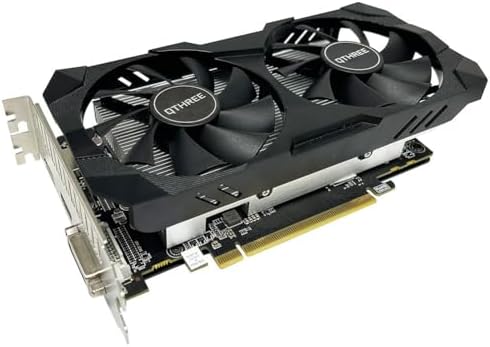

How to Measure and Establish Your AI GPU Power Consumption
Establishing your required Power Consumption involves identifying the maximum wattage the hardware can draw under full load. You must find the Thermal Design Power (TDP) or Total Board Power (TBP) figure, which is usually listed in the technical specifications provided by the manufacturer. These figures are typically found in the “Power” or “Electrical” section of a product’s documentation.
For more power without breaking the bank, view our analysis of high performance AI under $800.
Space-constrained builds benefit from our guide to low profile PC graphics cards.
Calculating total system wattage to ensure power supply stability
To determine if your current setup can support a specific GPU, you must calculate your total system draw. Add the wattage of your CPU, storage, and peripherals to the maximum Power Consumption of the AI GPU you intend to use. This sum must remain at least 100W below the maximum output of your power supply unit to ensure stability. If your total calculated draw exceeds your power supply capacity, you must either upgrade the power supply or select a GPU with a lower wattage rating.
Understanding requirements is easier when you see how many CUDA cores you actually need.
Using hardware monitors to verify real-time GPU power draw
You can also verify the actual draw during operation using a physical hardware monitor or a smart power strip. These tools provide a real-time reading of how many Watts the GPU is pulling while running specific AI workloads. Does your current power supply have enough headroom for a 225W card? A 750W power supply typically provides enough overhead for a 225W GPU when paired with a standard workstation CPU.
To avoid bottlenecks, learn about necessary memory bandwidth for AI GPUs.
Ensure your models fit by checking required VRAM capacity for AI GPUs.
What Happens if You Choose the Wrong Power Consumption?
Selecting an AI GPU with Power Consumption that exceeds your supply capacity leads to immediate system instability. When the hardware attempts to draw more electricity than the power supply can provide, the system will experience a sudden shutdown or a reboot. This happens because the power supply’s internal protection circuits trip to prevent electrical damage to the components.
Researching costs is simple with our breakdown of AI GPU price levels.
How low power consumption limits AI GPU processing speeds
Selecting a Power Consumption that is too low for your requirements results in performance throttling. If the GPU is limited to a low wattage to fit a specific power budget, it may reduce its clock speeds or limit the number of active processing units. This manifests as slower inference times or longer training durations for your models. You may find that a 30W GPU completes a task in hours that a 225W GPU could complete in minutes.
Clarify your options by viewing different types of AI GPUs explained.
If you are new to the technology, find out what an AI GPU is and how it works.
Managing heat dissipation for high wattage AI GPU hardware
Thermal management is the primary risk of high-wattage selections. A GPU drawing 225W generates significant heat that must be dissipated by fans or liquid cooling. If the airflow in your workspace is insufficient, the GPU will heat up rapidly. To protect itself from melting, the hardware will automatically lower its performance, creating a bottleneck where the GPU cannot run at its full rated speed because it is too hot.
Consider other hardware paths by looking into various alternatives to an AI GPU.
What to Do When You Fall Between Two Power Consumption Values?
When your requirements fall between two Power Consumption values, such as needing more performance than a 100W card provides but having a power supply that cannot support 225W, you must evaluate your cooling capacity. If you have a high-airflow environment and a high-quality power supply, you can often safely operate at the higher end of the spectrum. If your environment is restricted, you must choose the lower wattage option and accept the resulting speed limits.
For a specialized portable solution, see our full OneXGPU 2 spec breakdown.
If you prefer Intel hardware, view our full Arc B580 Challenger review.
Balancing AI GPU performance with available power infrastructure
The decision often comes down to a trade-off between speed and infrastructure. If you cannot upgrade your power supply, you must select a GPU with a lower Power Consumption rating. This ensures the system remains operational. If you can upgrade your power supply and add additional cooling, you can move to a higher wattage GPU to decrease the time spent on AI computations.
Check out the latest AMD options in our full RX 9070 XT review.
Prioritizing lower wattage GPUs to prevent system crashes
In cases where the power requirements are extremely close to your limit, prioritize the lower wattage option. It is safer to have a slightly slower GPU that runs reliably than a faster GPU that causes your system to crash during a long training run. Stability is a prerequisite for AI work; a crash at 99% completion means the entire process must start over.
Legacy hardware remains an option in our full Quadro K5000 review.