
VRAM Capacity for AI GPUs: How Much You Actually Need
ExtremeSpec is reader-supported: some links on this page are affiliate links, and as an Amazon Associate ExtremeSpec earns from qualifying purchases at no extra cost to you. Learn more.
VRAM Capacity for AI GPU requirements depend on the specific model size and the precision at which you run the inference. You need between 8GB and 48GB of VRAM depending on whether you are running small local models or large language models with high context windows.
If you are working with limited funds, see our comparison of budget AI project GPUs under $300.
Recommended VRAM Capacity for AI GPU Use Cases
| Use Case | Recommended VRAM Capacity | Why this number |
|---|---|---|
| Run a 13B parameter model at 4-bit quantization | 10 to 12GB | The model weights and KV cache require this minimum for 4-bit quantization. |
| Run a 70B parameter model at 4-bit quantization | 40 to 48GB | This capacity allows for running 70B models locally without heavy offloading. |
| Train a small LoRA adapter on a 7B model | 8 to 12GB | This range provides enough overhead for gradient calculations during local fine-tuning. |
| Run a large language model with a 32k context window | 16 to 20GB | A 32k context window significantly expands the KV cache requirements beyond base weights. |
| Run a Stable Diffusion XL image generation | 12 to 16GB | The XL architecture requires this much space to process high-resolution latent spaces. |
| Run a local LLM for 4 hours of continuous inference | 8 to 16GB | This provides the necessary capacity for 4 hours of inference once the unusable share is allowed for. |
AI GPUs we have reviewed in detail
Each of the 3 shown here has its own full review on this site; they run from $124.99 to $630.
Compact builds require specific hardware, so view our list of small form factor PC GPUs.
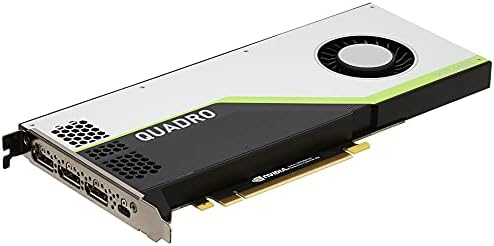
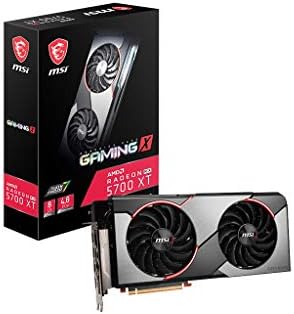

What happens if you go under or over on VRAM Capacity?
Going under the required VRAM Capacity for an AI GPU results in an Out of Memory (OOM) error. This specific crash occurs when the model weights and KV cache exceed the available physical memory on the card. If you attempt to run a model that is too large, the system will fail to initialize the weights or will crash the moment you begin generating a response. You cannot simply “slow down” the process if the data does not fit in the memory.
New users should start by viewing our guide for beginners to AI GPUs.
Overbuying VRAM capacity creates unnecessary costs without increasing performance
Overbuying VRAM Capacity is a real cost that impacts your budget without providing a linear increase in performance. If your specific task only requires 12GB of memory, purchasing a card with 48GB of VRAM does not make the model run faster. It only provides a larger ceiling for larger models that you might not actually intend to use. You pay a premium for headroom that remains empty. This is a trade-off between current requirements and future-proofing for larger model architectures.
For more demanding workloads, look at our high performance AI GPU guide under $800.
The mistake most buyers make with VRAM Capacity
Buyers often assume that a higher VRAM Capacity will automatically result in faster inference speeds. This is incorrect because VRAM Capacity measures the maximum amount of data the processor can store in its local memory. It does not decide processing speed. Speed is governed by the memory bandwidth and the number of processing units available to perform the calculations.
You can learn about pricing tiers by exploring what AI GPUs cost at every price level.
Matching GPU VRAM capacity to specific model sizes saves money
You should optimize for the specific model size you intend to run. If you plan to work exclusively with 7B or 13B models, a card with 12GB of VRAM is a sufficient threshold. Spending extra money on a card with double that capacity provides no benefit for those specific models. Focus on the model’s requirements first. Then look at the memory bandwidth to ensure the data can move quickly enough to meet your speed goals.
To ensure your system remains stable, learn about power consumption for AI GPUs and requirements.
How VRAM Capacity interacts with other AI GPU specs
VRAM Capacity interacts with Memory Bandwidth to determine how quickly a model can be processed. Memory Bandwidth measures the speed at which data moves between the memory and the processor. A high VRAM Capacity is wasted if the bandwidth is too low to feed the processor at a useful rate. You might have enough space to hold a large model, but a narrow “pipe” will make the generation of text or images feel sluggish.
Selecting the right data types is easier when you see precision formats for AI GPUs explained.
Protecting your investment is vital, so check AI GPU warranty details before you buy.
Balancing CUDA cores and VRAM capacity prevents processing bottlenecks
The number of CUDA Cores or Stream Processors also creates a ceiling on performance. These units execute the instructions simultaneously. If you have a massive amount of VRAM but very few processing units, the card will take a long time to complete the calculations allowed by that memory. Conversely, having many processing units with very little VRAM leads to the OOM errors described earlier. The ideal AI GPU balances these three figures based on your specific model choice.
To understand the hardware better, look at the various types of AI GPUs explained.
High VRAM capacity requires sufficient power supply wattage and connectors
Power Consumption (TDP) defines the electrical limits of the hardware. Higher VRAM Capacity often requires more power to maintain the memory modules. If you choose a card with very high VRAM, ensure your power supply can handle the peak draw. Many high-capacity cards require specific power connectors that standard power supplies might lack. Check your power source before choosing a high-capacity card.
Fundamentals are important, so see how AI GPUs work and what they do.
Power supply limits can restrict the maximum VRAM capacity available
Will your current power supply support a high-capacity card? Most high-end AI GPUs require at least a 750W or 850W power supply to handle peak loads during intensive inference. If your power supply is lower than this, you may be forced to choose a card with lower VRAM Capacity to stay within safe electrical limits. This is a hard physical limit that overrides how much memory you might want for your work.
We provide a detailed analysis of the Quadro K5000 performance and specs for older systems.
Software ecosystem compatibility affects usable VRAM capacity for models
The choice between NVIDIA’s proprietary software ecosystem and AMD’s open-source alternative also impacts how you use your VRAM. Some software libraries are optimized specifically for the way one manufacturer handles memory allocation. This can affect how much of your VRAM Capacity is actually usable for the model versus how much is reserved by the operating system or the driver. Research the software compatibility for your specific model before finalizing your VRAM requirements.
Explore our detailed analysis of how the Quadro RTX 4000 performs in professional environments.
Lower precision formats reduce VRAM requirements for larger models
The precision formats you choose, such as FP16 or INT8, determine the balance between numerical accuracy and inference speed. Using a lower precision format like INT8 reduces the amount of VRAM Capacity needed for the weights. This allows you to fit larger models into smaller memory pools. If you find that your target model is just slightly too large for your card, switching to a lower precision format is often the first step to making it run.
You can find our data-driven breakdown of the Radeon RX 560 performance specs here.
This means for those specific high-end requirements, you must look beyond the standard options to find sufficient capacity. Most common consumer-grade options stay in the 8GB to 12GB range.
For more information, view our full review of the RX 5700 XT Gaming X.