
Does the acer Chromebook R 13 Convertible 2-in-1 Laptop have enough storage for offline files?
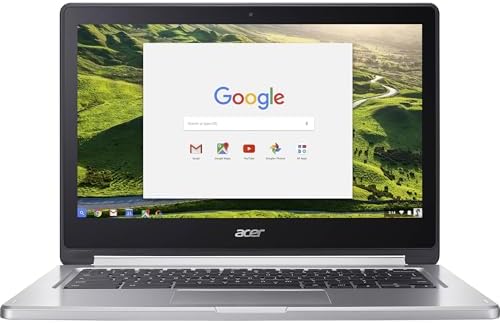
You must measure your total offline library size; if your files exceed 32GB, you will need to use external storage or cloud alternatives.
Limited 32GB internal storage on the Acer Chromebook R 13 Convertible
The 32GB of internal storage on this convertible laptop—a device with a screen that folds back to become a tablet—limits what you can keep locally. For example, this capacity cannot hold 50GB of offline movies or 100GB of work files. Because 2-in-1 laptops are often used for media consumption in various orientations, having enough local space for large video files is a priority for many users. How much space do you need for your specific offline library? This device provides 100GB of Google Drive cloud storage, which offers a separate area for files that do not need to live on the internal drive. We selected this model for our full review because it represents a common entry-level configuration in the Chromebook market. While the 32GB eMMC provides a base for system files and small documents, it remains insufficient for high-resolution media libraries.
You can find more details in our full Acer Chromebook R 13 review.
What to Check Before Buying the Acer Chromebook R 13
- Verify if your required offline files exceed the 32GB internal limit.
- Confirm if you can use USB expansion to offload large files to a secondary drive.
- Check if your specific file types are compatible with Chrome OS for offline use.
- Determine if your Google Drive sync requirements fit within the 100GB cloud limit.
Evaluating the Acer Chromebook R 13 Against Other Options
The Acer Chromebook R 13 serves users who primarily need a portable device for web browsing and basic document editing. If you need to store large amounts of media or heavy software locally, you should look at models with larger internal storage capacities. Buyers who prioritize high-speed local data transfers for large files may also find higher-capacity SSD options more suitable than the 32GB eMMC found here.
To see how the hardware handles tasks, view the Acer Chromebook R 13 performance breakdown.
If you primarily use web-based tools and only need to keep a few documents offline, choose the Acer Chromebook R 13. For users who need to store large libraries of movies or high-resolution photos locally, look for a device with a larger internal storage capacity.
For quick answers to common queries, visit our Acer Chromebook R 13 FAQ section.
Warranty details: see the official Acer warranty page.
More hybrid laptop explainers and comparisons
ExtremeSpec is reader-supported: some links on this page are affiliate links, and as an Amazon Associate ExtremeSpec earns from qualifying purchases at no extra cost to you. Learn more.