
Can the Quadro RTX 4000 AI GPU run a 13B parameter model at 4-bit quantization?
ExtremeSpec is reader-supported: some links on this page are affiliate links, and as an Amazon Associate ExtremeSpec earns from qualifying purchases at no extra cost to you. Learn more.
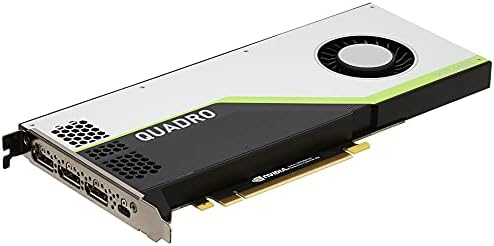
To run that model size at that level of quantization, you need to measure and ensure your hardware provides at least 10 to 12 GB of dedicated memory before starting your first inference task.
Quadro RTX 4000 VRAM limits and AI model capacity
The Quadro RTX 4000 features 8 GB of GDDR6 memory, which is the amount of VRAM (video memory used to store model weights) available for the processor to access. While the card includes 36 RT cores for ray-traced rendering, the 8 GB limit creates a hard ceiling for large models. For AI GPU buyers, this specific VRAM figure is the most critical metric because the model weights and the KV cache (the memory used to track the context of a conversation) must fit entirely within this physical memory to avoid an Out of Memory (OOM) error. We selected the Quadro RTX 4000 for this breakdown because it represents a common workstation-grade option that often appears in research for entry-level AI tasks. While it can handle smaller tasks, such as training a small LoRA adapter on a 7B model, it lacks the capacity for stable diffusion XL or large context windows.
You can see how this hardware stacks up against rivals in our Quadro RTX 4000 comparison table.
What to Check Before Buying the Quadro RTX 4000
Before purchasing this workstation graphics card, verify these technical requirements to ensure it matches your specific AI workflow:
For a final recommendation, see the Quadro RTX 4000 review verdict.
- Confirm that your specific model’s requirements do not exceed the 8 GB VRAM capacity.
- Verify that your inference framework supports the CUDA (NVIDIA’s parallel computing platform) kernels used by this Turing architecture.
- Check that your workstation’s power supply can support the card’s power draw during sustained 100% GPU utilization.
- Ensure your physical build has the correct dimensions and power connectors for this specific form factor.
- Confirm you have the correct workstation drivers installed, as some AI libraries require specific versions to recognize the hardware.
Understanding the Quadro RTX 4000 in the AI Market
The Quadro RTX 4000 is a professional workstation graphics card, which is a specialized piece of hardware designed to handle steady, reliable 3D rendering and compute tasks. For users who only need to run very small models or perform light inference, this card offers a stable environment with 36 RT cores. However, if you need to run 13B parameter models or generate high-resolution images using Stable Diffusion XL, you should look for alternatives with higher VRAM capacities. Buyers who prioritize memory over raw core counts should seek out cards that exceed the 12 GB threshold to ensure enough headroom for larger model weights and longer context windows.
New users should browse the best GPU for beginners to find a suitable entry point.
If you need to run a 13B parameter model locally, you should look for a GPU with more than 12 GB of VRAM; otherwise, choose the Quadro RTX 4000 only if your specific use case is limited to 7B models or smaller tasks.
More AI GPU explainers and comparisons
- Budget AI Project GPUs Under $300 Compared
- Choosing the Best GPU for Professional Workstation Under $300
- The AI GPUs That Work Best for Gaming and AI
- Which GPU Is Best for High Performance AI Under $800?
- The AI GPUs That Work Best for Small Form Factor PCs
- Which Graphics Card Is Best for a Low Profile PC?