
Can the acer Chromebook R 13 Convertible 2-in-1 Laptop store 50GB of offline movies?
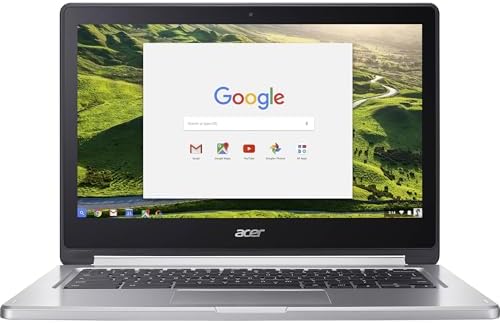
You must have at least 50GB of free space available to host that many files, so you should first calculate the exact size of your media library in gigabytes before purchasing.
For a deep dive into the hardware, view our full Acer Chromebook R 13 review.
Limited 32GB eMMC storage restricts large media files on the Acer Chromebook R 13
The 32GB eMMC storage on this device provides a significant hurdle for media-heavy users. Because the Chrome OS operating system requires overhead space to maintain system stability and performance, the actual usable space for your files will be even lower than the 32GB total. We selected this model for our comparison because it represents a common entry-point for budget-friendly 2-in-1 laptops, which are versatile devices that function as both a tablet and a notebook. For a 2-in-1 Laptop buyer, knowing the storage limit is critical because these devices are often used for offline entertainment during travel when Wi-Fi is unavailable. The Chrome OS file system supports high-definition video files, but you will quickly hit the capacity wall without external expansion.
You can find the final verdict in the Acer Chromebook R 13 summary.
What to Check Before Buying the Acer Chromebook R 13
Check these storage and connectivity details to see if the device meets your specific needs:
To see how it handles daily tasks, see the Acer Chromebook R 13 performance breakdown.
- Verify the total size of your offline library to ensure it fits within the 32GB limit minus the space required by the system.
- Confirm if you have enough high-speed external storage to offload files that exceed the internal capacity.
- Check if your specific video files are compatible with Chrome OS hardware acceleration, which helps the processor play video smoothly.
- Note that this device does not include an optical drive for physical discs.
Choosing the Right Chromebook for Your Needs
The Acer Chromebook R 13 serves users who primarily need a portable device for web browsing, Google Play Store apps, and light productivity. If you require significant local storage for large media libraries or need to run multiple browser tabs and office apps simultaneously, you may need to look at alternatives with higher RAM and larger storage capacities. This model is designed for efficiency rather than heavy local data management.
Students can find a variety of options in the best 2-in-1 laptop for students comparison.
If you primarily use the internet for your tasks and only need to store a few documents or a small number of offline files, this laptop is a practical choice. For users who need to store 50GB of movies or large sets of work files, you should look for a device with a larger internal drive or a dedicated high-speed SD card slot for expansion.
If you are looking for personal use, browse the best 2-in-1 laptop for home use guide.
Warranty details: see the official Acer warranty page.
The other 2-in-1 Laptop guides we have published
ExtremeSpec is reader-supported: some links on this page are affiliate links, and as an Amazon Associate ExtremeSpec earns from qualifying purchases at no extra cost to you. Learn more.