
What AI GPUs Cost, and What Each Price Level Gets You
ExtremeSpec is reader-supported: some links on this page are affiliate links, and as an Amazon Associate ExtremeSpec earns from qualifying purchases at no extra cost to you. Learn more.
AI GPU prices range from $119.99 to $1049.99, where the price per unit of VRAM capacity increases as you move toward the top end. You should identify your requirements based on the specific amount of VRAM capacity you need to hold data for your models.
AI GPU Price Levels at a Glance
| Price level | Price range | Products | Median VRAM capacity | Median rating |
|---|---|---|---|---|
| Entry level | $119.99 to $127.99 | 3 | 4GB | 4.0 |
| Lower mid-range | $129.99 to $189.99 | 4 | 4GB | 4.2 |
| Upper mid-range | $249.99 to $324.49 | 4 | 8GB | 4.4 |
| Top end | $630 to $1049.99 | 4 | 8GB | 4.5 |
Products in this category with a full review here
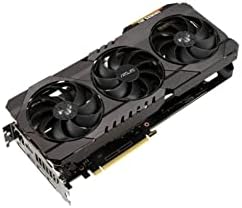
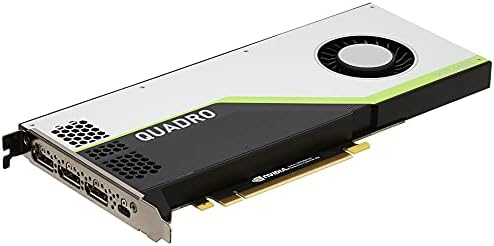
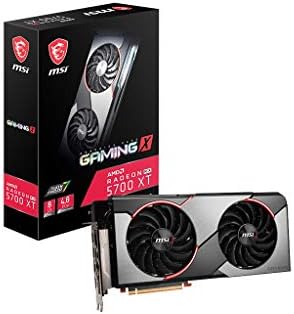
From $257.04 to $630: 3 of the 15 in this category we have reviewed in full.
What do entry level AI GPUs cost?
Entry level AI GPUs cost between $119.99 and $127.99. These options provide a median VRAM capacity of 4GB, which allows for the storage of smaller models or smaller batches of data during inference.
Who is the entry level AI GPU for?
You should choose an entry level AI GPU if your project requires minimal memory and you are primarily interested in learning the basics of AI implementation. These units are suitable for running very small language models or simple image classification tasks where memory constraints are not a primary barrier.
If you are on a strict budget, see the best GPU for budget AI projects under $300.
What do you give up at the entry level?
At this price point, you give up significant VRAM capacity compared to the lower mid-range. Because these units only offer a median of 4GB, you may encounter an Out of Memory (OOM) error—a crash occurring when the model weights and KV cache exceed available VRAM—if you attempt to load larger models.
What do lower mid-range AI GPUs cost?
Lower mid-range AI GPUs cost between $129.99 and $189.99. This tier maintains a median VRAM capacity of 4GB, offering a slight increase in price for potentially better secondary specifications like clock speed or power efficiency.
Who is the lower mid-range AI GPU for?
You should consider lower mid-range AI GPUs if you need a stable entry point that might offer better manufacturing quality than the base tier. These are for users who prioritize a slightly higher price floor to ensure consistent performance for small-scale AI tasks.
What do you give up at the lower mid-range?
You give up the jump to 8GB of VRAM that occurs at the upper mid-range level. Staying in this bracket means your work remains limited to models that can fit within a 4GB memory footprint, which restricts the complexity of the neural networks you can deploy.
New users should start by looking at the best GPU for beginners to simplify their choice.
What do upper mid-range AI GPUs cost?
Upper mid-range AI GPUs cost between $249.99 and $324.49. This price level provides a median VRAM capacity of 8GB, which allows you to store larger models or larger context windows than the lower tiers.
Who is the upper mid-range AI GPU for?
You should look at upper mid-range AI GPUs if you need to run models that require more than 4GB of memory to function. These are for hobbyists and developers who need to move beyond basic scripts into more substantial local inference tasks.
What do you give up at the upper mid-range?
You give up the high-end performance and potentially higher VRAM capacities found in the top end. While 8GB is a significant step up from 4GB, it remains a mid-range capacity that may still struggle with very large parameter models.
What do top end AI GPUs cost?
Top end AI GPUs cost between $630 and $1049.99. These high-end options provide a median VRAM capacity of 8GB, focusing on high-performance execution and maximum memory bandwidth.
For a detailed breakdown of older hardware, see our full RX 560 XT review.
Who is the top end AI GPU for?
You should budget for a top end AI GPU if you need the highest possible processing speed and the most robust hardware for intensive AI workloads. These are for users who need to maximize throughput and minimize the time spent waiting for model outputs.
What do you give up at the top end?
You give up the value efficiency found in the lower price tiers. Because the median price per unit of VRAM capacity at this level is $87.50, you are paying a significant premium for the underlying hardware architecture rather than just the amount of memory available.
Where does paying more stop buying more?
Paying more stops buying more when the price per unit of VRAM capacity begins to scale disproportionately to the hardware’s physical limits. In the entry level tier, the price per unit of VRAM capacity is $30.00, and it rises to $33.37 in the lower mid-range.
The jump to the upper mid-range increases the cost per unit of VRAM capacity to $34.81. However, the most significant jump occurs at the top end, where the cost per unit of VRAM capacity reaches $87.50. This indicates that the final price tier is driven by factors other than raw memory size, such as the number of CUDA Cores—the individual processing units that can execute instructions simultaneously—or memory bandwidth.
Find out how mobile tech adapts by viewing our full OneXGPU 2 review.
If you find that your specific model fits within 8GB of memory, paying for the top end may offer diminishing returns for your specific needs. You would be paying for high-end performance that may not be utilized if your model’s requirements are already met by a mid-range card.
What to budget for on top of the AI GPU?
You must budget for the necessary infrastructure to power and cool the AI GPU beyond the purchase price of the card itself. These prices were checked in November 2026 and retail prices move, so ensure your total setup budget accounts for these physical components.
Power Supply Unit wattage requirements for high-power AI GPUs
You need a Power Supply Unit (PSU) to provide the necessary wattage and rail stability for high-power cards. The PSU must provide enough total wattage to cover the GPU’s power draw plus the rest of your computer’s components to prevent system crashes.
Thermal Paste compatibility for efficient GPU heat transfer
You may need to budget for Thermal Paste to ensure efficient heat transfer from the GPU die to the heatsink. This paste must be compatible with the specific surface of your GPU’s cooling solution to prevent overheating during long inference runs.
Get the full technical breakdown in our full RX 9070 XT review.
How do you tell if an AI GPU is a fair price?
You can tell if an AI GPU is a fair price by calculating the price per unit of VRAM capacity and comparing it to the median figures for each tier. VRAM capacity measures the maximum amount of data the processor can store in its local memory.
Calculating the price per unit of VRAM to find value
To find a fair price, divide the total cost of the GPU by its VRAM capacity. If the result is significantly higher than the $87.50 median for the top end, you may be overpaying for the amount of memory provided. Conversely, if the price per unit is lower than the $30.00 entry-level median, the product represents a high-value option for the memory it provides.
Comparing target card prices against specific model memory requirements
When you are deciding, look at the specific requirements of your model. For example, if you need to run a model that requires 8GB of memory, compare your target card’s price per unit against the $34.81 upper mid-range median. This tells you if you are paying for extra performance or simply for the capacity you already need.
The rest of our AI GPU guides
- Budget AI Project GPUs Under $300 Compared
- Choosing the Best GPU for Professional Workstation Under $300
- The AI GPUs That Work Best for Gaming and AI
- Which GPU Is Best for High Performance AI Under $800?
- The AI GPUs That Work Best for Small Form Factor PCs
- Which Graphics Card Is Best for a Low Profile PC?