Lenovo Yoga Mini Gen 11 review: A circular showpiece for the desk
The Lenovo Yoga Mini Gen 11 delivers mid-range productivity performance powered by an Intel Core Ultra 5325 processor. The device’s circular design limits internal serviceability compared to standard rectangular chassis. Remote office workers seeking a showpiece should choose this model, while gamers requiring high-end GPU power should look elsewhere.
Who the Lenovo Yoga Mini Gen 11 suits, and who it does not
Readers who should buy the Lenovo Yoga Mini Gen 11
- Remote office workers should pick the Lenovo Yoga Mini Gen 11, which provides a compact, powerful machine that fits easily into a home office.
- Desk setup enthusiasts should choose the Lenovo Yoga Mini Gen 11 for its unique circular form factor and interactive LED ring.
- General home users should select the Lenovo Yoga Mini Gen 11 for everyday tasks like browsing and productivity.
Readers who should skip the Lenovo Yoga Mini Gen 11
- Hardcore gamers should skip the Lenovo Yoga Mini Gen 11 and look for a mini PC with an Intel Core Ultra “X” series processor for higher GPU power.
- DIY PC builders should skip the Lenovo Yoga Mini Gen 11 and look for a model with a clear tear-down guide or modular internal components.
What to do next about the Lenovo Yoga Mini Gen 11
- Verify the power delivery capacity of the 100 Watts charger for specific peripherals.
- Test the single-tap interaction to toggle the LED lighting on and off.
- Verify the Thunderbolt 4 port speeds for external storage to ensure 40 Gbps compatibility.
The Lenovo Yoga Mini Gen 11 functions as a circular mini PC
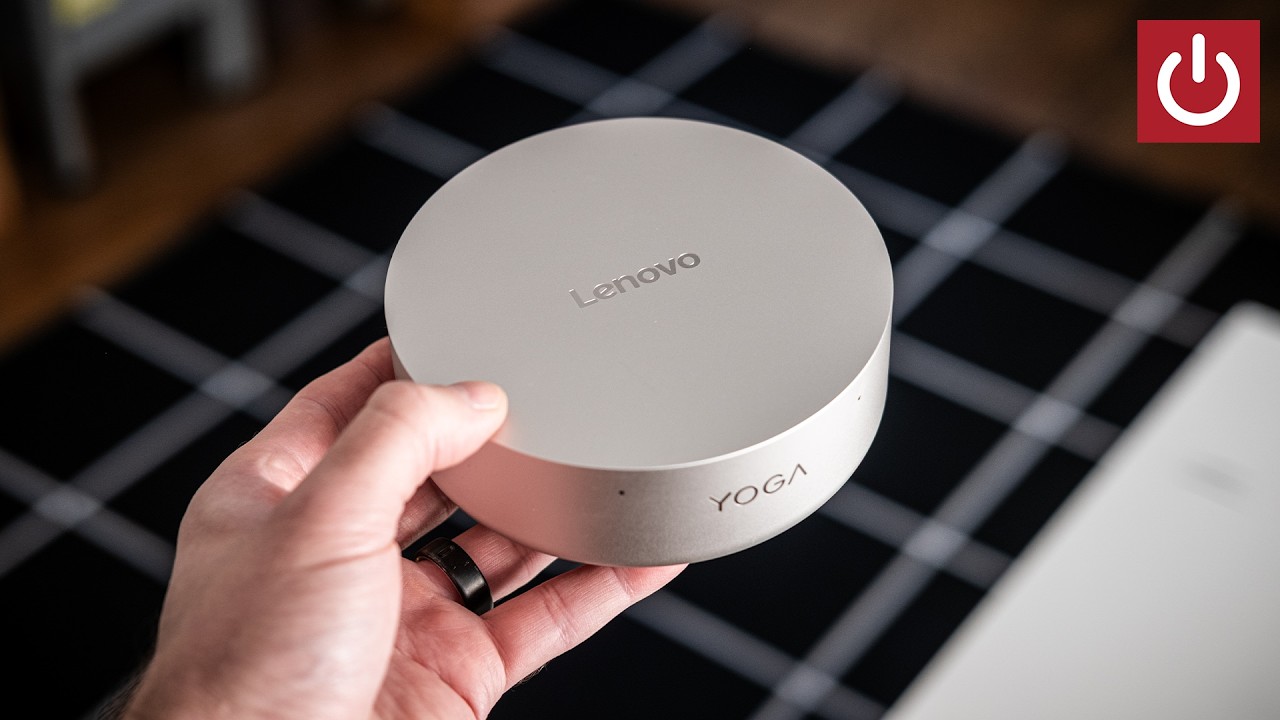
The Lenovo Yoga Mini Gen 11 functions as a Circular Mini PC designed to mimic the aesthetic of the Mac Mini while introducing a unique round geometry. This design allows the device to sit better on a desk as a centerpiece compared to more utilitarian options. The Lenovo Yoga Mini Gen 11 uses its round shape to provide a distinctive presence that breaks the common “ugly box” mold of standard mini PCs.
The circular geometry allows the LED light strip to project a 360-degree ambient glow onto the desk surface, a feat that is physically difficult for standard rectangular mini PC chassis. Because the device is round, the light path is unobstructed by corners, allowing the glow to wrap around the base evenly. This enables the “showpiece” aesthetic that defines the product.
The Lenovo Yoga Mini Gen 11 provides a “small computer for desk display” feel that separates it from standard hardware.
How the Lenovo Yoga Mini Gen 11 differs from the Mac Mini
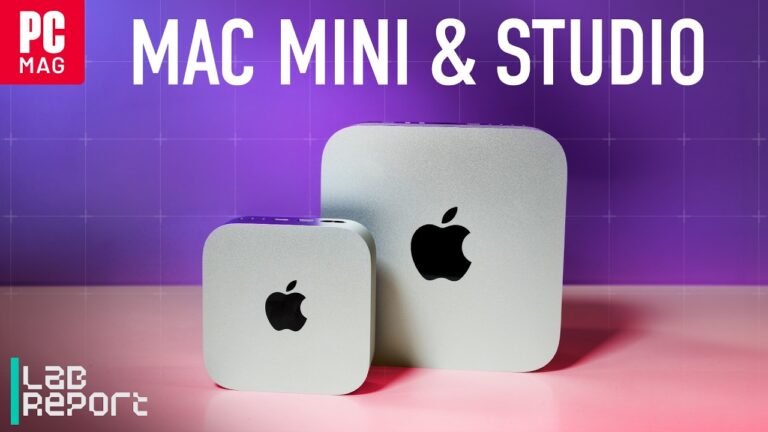
The Lenovo Yoga Mini Gen 11 mimics the Mac Mini aesthetic but differs significantly in its physical construction and interactive features. While both serve as small desktop solutions, the Lenovo model offers a different user experience through its lighting and shape.
- Form Factor
- The Lenovo Yoga Mini Gen 11 is a circular device, whereas the Mac Mini is a standard rectangular product.
- Interactive Lighting
- The Lenovo Yoga Mini Gen 11 features an adaptive LED ring with multiple modes; the Mac Mini does not have this specific circular lighting system.
Interactive ambient lighting and user interaction
The Lenovo Yoga Mini Gen 11 features a Compact PC with LED ring that offers several interactive modes including Greetings, Music, and Notifications. Users can toggle the lighting with a single tap or change the brightness and color through a dedicated application. The default state provides a warm glow that adds a subtle ambiance to the workspace.
The lighting application allows for various presets, including a “Greetings” mode that provides soft dynamic glows upon power-up. The device also includes a notification light to alert the user to pending tasks. The light is a unique value proposition for this specific model.
Comprehensive connectivity and hardware specifications
The Lenovo Yoga Mini Gen 11 includes a diverse array of ports to support a wide range of peripherals and high-speed data transfers. The device features a total of four USB-C ports, including two Thunderbolt 4 ports supporting speeds up to 40 Gbps. It also provides an RJ45 jack for wired internet and an HDMI 2.1 port for high-bandwidth display output.
The Lenovo Yoga Mini Gen 11 includes a 100 Watts power adapter that terminates in a USB-C connection. It features a USB-A port capable of 10 Gbps speeds and a dedicated microphone/headphone combo jack. The front of the unit houses two noise-cancelling microphones and a power button that doubles as a fingerprint reader.
| Port Type | Quantity | Speed/Standard | Additional Features |
|---|---|---|---|
| USB-C | 4 | Up to 40 Gbps | Includes Thunderbolt 4 and Power Delivery |
| USB-A | 1 | 10 Gbps | – |
| HDMI | 1 | HDMI 2.1 | – |
| RJ45 | 1 | – | Ethernet |
Mid-range performance and the Panther Lake architecture
The Lenovo Yoga Mini Gen 11 utilizes the Intel Core Ultra 5325 processor, which is part of the Panther Lake lineup. This processor provides a balanced performance level suitable for everyday productivity but lacks the high-end GPU found in “X” series models. It effectively trades blows with previous generation Lunar Lake chips depending on the specific workload performed.
What is Panther Lake?
Panther Lake is a specific generation of Intel processors used as the basis for the chip in this device. It provides the underlying architecture for the Core Ultra 5325, determining the processor’s efficiency and performance limits.
What is Lunar Lake?
Lunar Lake is the previous generation of Intel processor architecture. It serves as the performance baseline for the newer Panther Lake chips found in the Lenovo Yoga Mini Gen 11.
The Intel Core Ultra 5325 is a mid-range part of the stack. It is not intended for high-end gaming. This holds while the device is used for office tasks; if heavy 3D rendering is required, the performance will fall short.
The Lenovo Yoga Mini Gen 11 prioritizes a premium aesthetic over easy repairability
The Lenovo Yoga Mini Gen 11 prioritizes a premium, showpiece aesthetic that creates friction for users who prioritize repairability. The reviewer found the device difficult to disassemble, as the top part remained secure even after removing the base screws. This indicates a design that is not easily user-serviceable for the average consumer.
The Lenovo Yoga Mini Gen 11 also picks up fingerprints and smudges on its surface in a way that requires regular cleaning. While it looks like a high-end device, the surface finish is sensitive to touch. It looks great but is hard to fix.
Standard advice suggests choosing a mini PC with a modular design for easy upgrades. However, the Lenovo Yoga Mini Gen 11 shows that for a user who wants a decorative desk centerpiece, the unique form factor and lighting are more important than easy internal access. If you need to replace internal components frequently, this model is not for you.
Lenovo has not announced the official pricing for the Lenovo Yoga Mini Gen 11
- Lenovo has not announced the official pricing for the Lenovo Yoga Mini Gen 11.
- Lenovo has not announced the official release date for the Lenovo Yoga Mini Gen 11.
- Lenovo has not provided a public tear-down guide for the Lenovo Yoga Mini Gen 11.
Potential buyers should check the official Lenovo website for the latest pricing and warranty terms before making a purchase. Users should also verify the specific regional availability of the 100 Watts power supply.
A freelance graphic designer chooses the Lenovo Yoga Mini Gen 11 for aesthetics
Sarah is a freelance graphic designer who wants a desktop that does not look like a piece of industrial equipment. She evaluates the Lenovo Yoga Mini Gen 11 and notes the circular design and the ability to set a warm glow on her desk. She confirms that the Core Ultra 5325 handles her daily applications and that the two Thunderbolt 4 ports support her external drives. Sarah buys the Lenovo Yoga Mini Gen 11 because it serves as a visual centerpiece for her workspace while providing the necessary connectivity.
If Sarah needed to perform high-end 3D rendering for complex clients, she would have to skip this model. The lack of an “X” series GPU would make the processing times too slow for her professional requirements.
Frequently Asked Questions
How does the Lenovo Yoga Mini Gen 11 compare to the MSI Kubinook AI Plus 3MG?
The Lenovo Yoga Mini Gen 11 has a similar footprint to the MSI Kubinook AI Plus 3MG but is slightly taller. The Lenovo model is designed to sit on a desk as a centerpiece, while the MSI is better suited for mounting on the back of a monitor.
What processor is inside the Lenovo Yoga Mini Gen 11?
The Lenovo Yoga Mini Gen 11 features the Intel Core Ultra 5325 processor. This chip is part of the Panther Lake architecture and is designed for mid-range productivity tasks.
Is the Lenovo Yoga Mini Gen 11 easy to open and repair?
The Lenovo Yoga Mini Gen 11 is not easily user-serviceable based on initial disassembly attempts. The reviewer was unable to remove the top casing even after removing the base screws, suggesting a tightly integrated build.
Does the Lenovo Yoga Mini Gen 11 support high-speed external drives?
The Lenovo Yoga Mini Gen 11 supports high-speed external drives via its two Thunderbolt 4 ports. These ports support speeds up to 40 Gbps, allowing for fast data transfers to compatible peripherals.
How much does the Lenovo Yoga Mini Gen 11 cost?
Lenovo has not announced the official price for the Lenovo Yoga Mini Gen 11. Consumers should check the official Lenovo website or authorized retailers to find the current MSRP.
Why does the Lenovo Yoga Mini Gen 11 look like a Mac Mini?
The Lenovo Yoga Mini Gen 11 is intentionally designed with a circular form factor to mimic the premium aesthetic of the Mac Mini. It uses this design to stand out as a decorative piece rather than a standard rectangular box.
The Lenovo Yoga Mini Gen 11’s value is tied to its status as a stylish, everyday productivity showpiece. If you need a machine that functions as a decorative desk piece, this is a strong choice. However, if you require high-end GPU performance or easy serviceability, you should look for a different model.
Reported from Lenovo made a circular Mac Mini, published by PCWorld.
ExtremeSpec is reader-supported: some links on this page are affiliate links, and as an Amazon Associate ExtremeSpec earns from qualifying purchases at no extra cost to you. Learn more.