
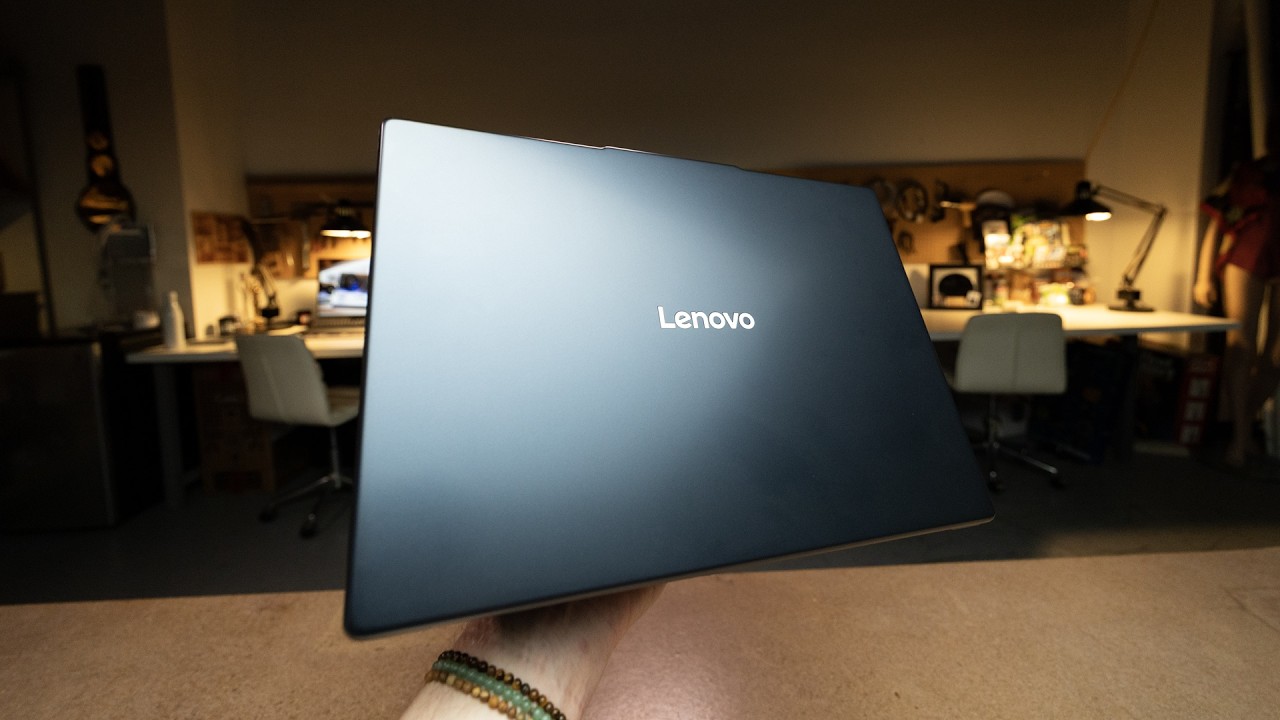
Lenovo IdeaPad Slim 3i review: A versatile workhorse with a price hurdle
ExtremeSpec is reader-supported: some links on this page are affiliate links, and as an Amazon Associate ExtremeSpec earns from qualifying purchases at no extra cost to you. Learn more.
The Lenovo IdeaPad Slim 3i delivers a capable productivity experience powered by the new Intel Core Series 3 chip. High pricing at $899 makes the value proposition difficult to justify for many users. The Lenovo IdeaPad Slim 3i suits university students and office workers who need a functional workhorse, while hardcore gamers should look at dedicated gaming notebooks.
Is the Lenovo IdeaPad Slim 3i the right choice for you?
Readers who should buy the Lenovo IdeaPad Slim 3i
- University students should pick the Lenovo IdeaPad Slim 3i, which provides a full keyboard and a 15-inch touchscreen for schoolwork and media.
- Office workers should pick the Lenovo IdeaPad Slim 3i, as it includes a physical number pad and an SD card slot for professional workflows.
- Budget-conscious gamers should choose the Lenovo IdeaPad Slim 3i if they only intend to play titles on low settings using Intel’s upscaling tools.
Readers who should skip the Lenovo IdeaPad Slim 3i
- Hardcore gamers should skip the Lenovo IdeaPad Slim 3i and look for gaming notebooks with dedicated GPUs to handle high-fidelity titles.
- Professional video editors should skip the Lenovo IdeaPad Slim 3i and seek out high-end Intel Core Ultra or workstation-grade laptops for better performance.
What to do next about the Lenovo IdeaPad Slim 3i
- Verify the $899 retail price to confirm the current market cost.
- Enable Intel upscaling and frame generation in game settings to achieve playable frame rates in demanding titles like Cyberpunk 2077.
The Lenovo IdeaPad Slim 3i introduces the Intel Core Series 3 chip
The Intel Core Series 3 chip serves as the primary engine for this notebook, positioned as a more affordable sibling to the Intel Core Ultra Series 3 chips. These processors are designed for students and business users who prioritize portability and cost over raw speed. The chip is not a speed demon, but it handles daily tasks with ease.
Think of the Core Series 3 chip as a reliable sedan—it isn’t a race car, but it gets you where you need to go comfortably. This positioning allows the laptop to sit in a similar power range to the MacBook Air, offering a middle ground for general computing. By prioritizing efficiency over peak performance, the chip helps maintain a thin and portable profile.
The Lenovo IdeaPad Slim 3i features a physical number pad for data-heavy tasks
A full keyboard with a physical number pad makes the Lenovo IdeaPad Slim 3i an attractive option for data-heavy tasks. Typing feels comfortable, which is a significant advantage for long work sessions. Why choose this over a cheaper model that lacks these dedicated keys?
Versatile port selection allows for a wide range of connections, including a dedicated SD card slot. Users can pull files directly from cameras or other storage media without needing an external adapter. The variety of ports supports a smooth workflow for office productivity and media management.
Hardware features of the Lenovo IdeaPad Slim 3i include a 15-inch touchscreen
- Full keyboard with dedicated number pad
- 15-inch touchscreen display
- Built-in SD card slot
- Versatile port array for accessories
Gaming capabilities via Intel upscaling and frame generation
Gaming on this device is possible if you manage your expectations and use the right software. The laptop can run Cyberpunk 2077 on low settings by utilizing Intel’s specific upscaling and frame generation technologies. These tools insert synthetic frames to increase smoothness without requiring a high-end GPU.
What is frame generation?
Frame generation is a technology that inserts synthetic frames into a video sequence to increase smoothness. It uses AI to create additional imagery between existing frames. This allows laptops with weaker processors to achieve a higher perceived frame rate in games.
Intel upscaling—the process of increasing a game’s output resolution—works by reducing the raw pixel-processing load on the CPU. This allows the Intel Core Series 3 chip to maintain playable frame rates in demanding games. It is a clever use of software logic to bridge the gap between a productivity chip and modern gaming demands.
Display quality and battery endurance for the mobile worker
The 15-inch touchscreen offers a crisp and clear experience that makes it easy to read and navigate. Tapping and scrolling on the screen provides a more relaxed way to work compared to traditional trackpad navigation. It provides a useful secondary input method for both students and professionals.
Battery life on the Lenovo IdeaPad Slim 3i is sufficient to last a full day at the office. The laptop provides 80% of its battery capacity over a full day of use, as the user returns home with 20% remaining. This endurance makes it a reliable daily driver for those who move between meetings or classes.
The $899 price point and overall value assessment
Lenovo is charging upwards of $899 for this laptop, which creates a difficult value proposition to recommend. While the device is a good workhorse, the price puts it in direct competition with more premium machines. The cost reflects the convenience of the touchscreen, number pad, and SD slot.
Comparing the Lenovo IdeaPad Slim 3i to the MacBook Air highlights the different priorities of each machine. The IdeaPad offers a physical number pad and an SD card slot that the MacBook Air lacks. However, the price point suggests that users are paying for these specific hardware conveniences rather than raw processing power.
Lenovo IdeaPad Slim 3i and MacBook Air comparison
- Feature
- Lenovo IdeaPad Slim 3i
- Feature
- MacBook Air
- Number Pad
- Included
- Number Pad
- Not Included
- SD Card Slot
- Included
- SD Card Slot
- Not Included
- Touchscreen
- Included
- Touchscreen
- Not Included
How the Lenovo IdeaPad Slim 3i fits your workflow
Sarah is a university student who needs a laptop for writing papers and occasionally playing Cyberpunk 2077. She looks for a machine under $900 and finds the Lenovo IdeaPad Slim 3i, noting the full number pad for her spreadsheets and the 15-inch touchscreen for easy navigation. Because the review confirms the laptop can run her game on low settings, Sarah buys the device to simplify her school and gaming needs.
If Sarah required high-frame-rate gaming on ultra settings, she would find the Core Series 3 chip insufficient. In that case, she would need to look for a dedicated gaming notebook with a high-performance GPU instead.
What Lenovo has not yet confirmed about the Lenovo IdeaPad Slim 3i
- Lenovo has not announced the official warranty terms for the Slim 3i in all regions.
- The manufacturer has not confirmed the specific peak battery life in hours.
- PCWorld has not provided a formal benchmark comparison against the latest MacBook Air.
Frequently Asked Questions
How much does the Lenovo IdeaPad Slim 3i cost?
The Lenovo IdeaPad Slim 3i is priced at upwards of $899. You should verify current retail listings to ensure this price point is still accurate.
Can I play Cyberpunk 2077 on the Lenovo IdeaPad Slim 3i?
The Lenovo IdeaPad Slim 3i can run Cyberpunk 2077 on low settings. You must enable all of Intel’s upscaling and frame generation technologies to achieve playable performance.
Does the Lenovo IdeaPad Slim 3i have a number pad?
The Lenovo IdeaPad Slim 3i includes a full keyboard and a physical number pad. This makes it a strong candidate for users who perform heavy data entry.
What is the battery life on the Lenovo IdeaPad Slim 3i?
The Lenovo IdeaPad Slim 3i offers enough battery to last a full day at the office. You can expect to have approximately 20% remaining by the time you return home.
Does the Lenovo IdeaPad Slim 3i have a touchscreen?
The Lenovo IdeaPad Slim 3i features a 15-inch touchscreen. This allows for easy tapping and scrolling during work or media consumption.
Reported from This Lenovo is a great all-around laptop, but at what price?, published by PCWorld.