GoogleBook Review: An Android-Powered Laptop for Power Users
ExtremeSpec is reader-supported: some links on this page are affiliate links, and as an Amazon Associate ExtremeSpec earns from qualifying purchases at no extra cost to you. Learn more.
The GoogleBook offers a premium Android-powered laptop experience with up to 24 hours of battery life on Snapdragon-based models. While it provides a native environment for Android applications, the device currently lacks the high-performance capabilities required for professional creative suites like Photoshop. The GoogleBook suits Android power users and developers seeking a dedicated mobile-first ecosystem, while professional creative editors should stick to a Windows laptop or MacBook.
Who GoogleBook suits, and who it does not
Readers who should buy the GoogleBook
- Android power users should pick the GoogleBook to access a dedicated “Android in a box” experience that extends their existing mobile ecosystem.
- Android app developers should choose the GoogleBook to perform local testing and development of apps without needing to connect a physical phone.
- Premium Chromebook seekers should choose the GoogleBook for high-end hardware features like Wi-Fi 7 and 16GB of DDR5 memory.
Readers who should skip the GoogleBook
- Hardcore gamers should skip the GoogleBook and look at Windows gaming laptops because the “Cast My App” feature suffers from high latency during gameplay.
- Professional creative editors should skip the GoogleBook and opt for a MacBook or Windows workstation due to the severe limitations of the Android version of Photoshop.
What to do next about the GoogleBook
- Check the Google Play Store for the “Made for Desktop” status on specific apps to ensure they support large screen and pointer inputs.
- Verify regional pricing for the 32GB memory configuration to confirm the $1,700 price point before purchasing.
- Test the Magic Pointer by hovering over and wiggling on text to confirm Gemini AI’s fact-checking accuracy on your specific use cases.
GoogleBook OS functions as a heavily modified version of Android 17 for desktop hardware
GoogleBook OS functions as a heavily modified version of Android 17 designed specifically to run on desktop hardware. This OS allows the device to feel like a native Android experience while retaining the familiar workflow of a Chromebook, such as using Progressive Web Apps—web applications that run in a browser but behave like native software. The device differs from a standard Chromebook by running a modified Android kernel rather than a standard Chrome OS environment.
What is GoogleBook OS?
GoogleBook OS is a heavily modified version of Android 17 designed to operate on a desktop form factor. It allows the hardware to run Android applications natively while providing a user interface suitable for mouse and keyboard input. This distinction is important because it enables a more direct relationship between the hardware and the Android app library.
The GoogleBook differs from the Google Books service, which is a separate library for digital literature. Users should identify the GoogleBook as the hardware device and the OS as the software platform that powers it.
Snapdragon-powered GoogleBook models reach up to 24 hours of battery life
GoogleBook hardware performance varies significantly depending on the chosen processor architecture, with Snapdragon models providing superior endurance. The Snapdragon-powered models reach up to 24 hours of battery life when streaming video, while the Lenovo model and others with different silicon may last just under 15 hours. In some testing scenarios, the older Snapdragon silicon outperformed the Intel Core Ultra Series 3 processors in specific tasks, suggesting that specialized mobile silicon remains highly relevant for this form factor.
The hardware standard includes Wi-Fi 7 connectivity and DDR5 memory across the lineup to ensure modern data speeds. Base configurations typically include 16GB of DDR5 memory and a 512GB PCIe4 SSD, providing a capable foundation for daily tasks. The performance is optimized for single-core tasks like launching apps and web browsing rather than heavy multi-core computational loads.
Gemini AI and the Magic Pointer Experience
The GoogleBook introduces the Magic Pointer, a marquee feature that allows users to interact with Gemini AI contextually on the display. By wiggling the touchpad or mouse, the Magic Pointer hones in on specific elements like images or text, allowing the user to ask Gemini for real-time fact-checking or comparisons. This allows the user to verify information by sourcing data from other outlets directly within the interface.
What is the Magic Pointer?
The Magic Pointer is a software feature that allows the user to hover over and “wiggle” the cursor to highlight specific on-screen elements for AI interaction. It enables the Gemini AI to provide context-aware responses, such as fact-checking a specific sentence or identifying an object in an image. This tool is designed to bridge the gap between a standard cursor and a conversational AI assistant.
The Magic Pointer provides a unique way to interact with the OS by turning the cursor into a tool for content analysis. This means a user can highlight a passage in an email and ask Gemini to compare it to a live website, such as a transit schedule. This integration makes the GoogleBook a strong candidate for students and researchers who rely on AI-assisted information gathering.
The GoogleBook links with Android phones using Cast My App and Continue On
The GoogleBook features “Cast My App” and “Continue On” to link the laptop with an Android phone via Wi-Fi or Bluetooth. The “Continue On” feature allows for near-instantaneous syncing of Google Docs, where an app opened on a phone appears in the laptop’s task drawer. However, the system currently requires several restarts to establish a stable connection for some users, indicating that the software is still being refined.
What is Cast My App?
Cast My App is a feature that allows users to project and control applications from their Android phone directly on the GoogleBook display. It creates a mirrored experience where the phone’s app remains active while being viewed on the larger laptop screen. This is primarily intended for content consumption rather than latency-sensitive tasks like gaming.
The “Cast My App” functionality supports streaming content from an Android phone to the laptop screen, which is useful for content-heavy apps like Uber Eats. Because these apps do not rely on high-frequency updates, they perform well without noticeable lag. However, the system introduces rough input latency when used for high-action mobile games or real-time drawing, which limits its utility for gaming-centric workflows.
Development Potential and Application Limits
The GoogleBook provides a unique environment for Android app development because it allows for local testing of applications directly in the OS. Developers can create and test their work in the Google Play Store environment without needing to have a physical Android phone connected. This is a significant advantage for those building for the mobile platform who need a dedicated workstation.
Application limits remain a significant hurdle for users expecting a desktop-class experience in creative software. While the Android version of Photoshop is available, it is extremely limited compared to the version found on a MacBook or Windows laptop. The device is best understood as an Android laptop, and users should manage their expectations regarding the depth of available third-party apps.
Pricing Strategy and Market Positioning
The GoogleBook pricing strategy targets a premium market, with models starting at $899 for the Acer variant. Other models start at $999 or $1,049, positioning the device as a high-end alternative to standard budget Chromebooks. The jump to a 32GB RAM configuration reaches $1,700, reflecting the high cost of memory for this specific hardware target.
GoogleBook competes with traditional laptops like the Samsung Galaxy Book, though the Galaxy Book may offer a better out-of-the-box experience for Samsung phone users. For those seeking more raw performance for a similar price point, a Windows laptop or MacBook may offer more capable silicon. The GoogleBook occupies a niche for those who want a premium, high-end Android experience rather than a basic web-browsing machine.
| Model/Platform | Processor | Memory | Storage | Battery Life (hours) |
|---|---|---|---|---|
| Snapdragon Model | Qualcomm Snapdragon | 16GB DDR5 | 512GB SSD | Up to 24 |
| Lenovo Model | (Unspecified) | (Unspecified) | (Unspecified) | Under 15 |
| High-End Config | (Unspecified) | 32GB DDR5 | (Unspecified) | (Unspecified) |
A freelance developer’s workflow
Suppose Marcus is an independent developer who builds custom tools for the Google Play Store. He buys a high-end GoogleBook for $1,700 to utilize the 32GB of DDR5 memory for heavy testing. Marcus uses the device to write code and test his apps directly in the OS, which allows him to iterate faster without reaching for his phone. He enjoys the seamless integration and the ability to use the Magic Pointer to fact-check his documentation using Gemini AI. If Marcus suddenly needed to perform heavy 4K video editing for a client, he would find the Android environment too restrictive and would have to switch to a Windows workstation for that specific task.
What Google has not yet confirmed about the GoogleBook release and 32GB configuration
- Google has not announced an official release date for the next generation of hardware.
- The manufacturer has not yet confirmed the specific warranty terms for the high-end 32GB configuration.
- Independent reviewers have not yet performed a full long-term durability test on the various chassis designs.
Frequently Asked Questions
What is the battery life of a GoogleBook?
The GoogleBook provides up to 24 hours of battery life on Snapdragon-powered models when streaming video. The Lenovo model was measured to last just under 15 hours in similar testing conditions.
Can you run professional software like Photoshop on a GoogleBook?
The GoogleBook runs the Android version of Photoshop, which is significantly more limited than the desktop versions found on a MacBook or Windows laptop. Users should expect a much more restricted experience for professional creative work.
Is GoogleBook good for Android app development?
The GoogleBook is an excellent environment for Android app development because it allows for local testing of apps directly within the operating system. This removes the requirement for a physical device to be nearby during the development and debugging process.
How does the GoogleBook compare to a standard Chromebook?
The GoogleBook is a more capable, “grown-up” version of a Chromebook that runs a modified Android 17 OS rather than standard Chrome OS. While it retains many Chromebook-like features, it offers a more native Android experience and higher-end hardware specifications.
The GoogleBook succeeds as a niche hardware solution for those who want a laptop that mirrors their mobile experience. While it cannot replace a professional workstation for heavy creative tasks, it offers a unique “Android in a box” proposition that provides significant value for power users and developers who prioritize the Google ecosystem.
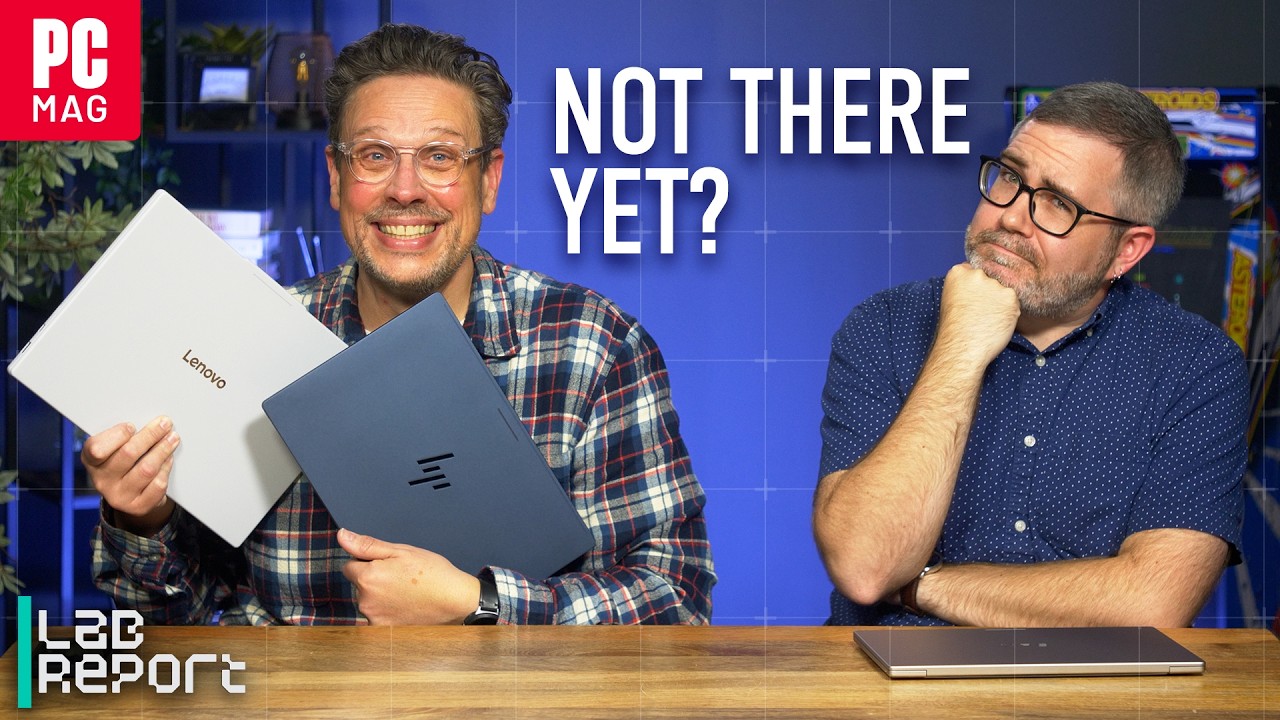
Details first shown in GoogleBook Hands-On: The Android Laptop Dream Finally Realized? | Lab Report by PCMag.