
Display Size for 2-In-1 Laptops: How to Choose Yours
Display size for 2-in-1 laptops is the diagonal measurement of the screen in inches. You decide the correct size based on whether you prioritize portability for travel or screen real estate for complex tasks like video editing or spreadsheet management.
Which 2-in-1 Laptop Display Size Suits You?
| If this is you | The Display Size that suits you | Why |
|---|---|---|
| You prioritize one-handed use and maximum portability for commuting | 8 to 10 inches | These sizes allow for a compact footprint that fits easily into small bags and enables comfortable tablet-style holding. |
| You want a balance between mobility and productivity for daily work | 11 to 12 inches | This range provides enough space for split-screen multitasking while remaining light enough for frequent transport. |
| You use your hybrid PC primarily in a stationary desk environment | 13 to 14 inches | This is the median size for 2-in-1 laptops, offering a standard workspace that accommodates most professional software. |
| You require a large canvas for creative work or large-scale data entry | 15 to 16 inches | Larger screens reduce the need for external monitors and provide more room for toolbars and side panels. |
2-in-1 Laptops covered by our own reviews
From $115 to $379.99: 3 of the 15 in this category we have reviewed in full.
Learn about the different form factors by viewing the different types of 2-in-1 laptops explained.


How to Establish Your Own 2-in-1 Laptop Display Size Requirement
To establish your required measurement, you must identify the physical constraints of your primary work environment. Measure the width of your current desk or the interior dimensions of the bag you intend to carry the device in. If your workspace is limited to a small corner or a tray table, a 13-inch or 14-inch screen is often the largest practical limit for comfortable movement. Conversely, if you are replacing a desktop setup, a 15-inch or 16-inch screen provides the most immediate transition to a large-format experience.
Comparing current laptop dimensions helps determine preferred 2-in-1 screen sizes
You should also look at the physical dimensions of your current laptop to see if you prefer a larger or smaller footprint. Most manufacturers list the display size in inches on the product’s specification sheet or on a sticker located on the bottom of the chassis. Compare that number to your current habits. Do you find yourself squinting at small text, or do you find your current screen feels cumbersome when you move from room to room? If you often find yourself zooming in to read rows of data, a 15-inch or 16-inch screen provides more constant surface area. If you find yourself constantly reaching for the edges of a large device, a smaller 11-inch or 12-inch screen may offer better ergonomics.
New users should start by reading how a 2-in-1 laptop works and what it actually is.
Median 13-inch 2-in-1 laptop size balances utility and portability
The 64 2-in-1 laptop listings we evaluated show a wide range of options, with the median display size being 13 inches. This suggests that the 13-inch size is the standard for many users seeking a balance of utility. However, because there is no single “best” size, you must determine your own limit based on your specific environment. If you work primarily in a car or on an airplane tray, a size smaller than 13 inches is often necessary for comfort. If you work in a home office, a 16-inch screen allows for a more expansive workspace.
Consider other hardware options by exploring the various 2-in-1 laptop alternatives available on the market.
What Happens When You Choose the Wrong 2-in-1 Laptop Display Size?
Choosing a display size that is too large for your needs results in a device that is difficult to transport and uncomfortable to use in “tablet mode.” A 16-inch 2-in-1 laptop can become heavy and awkward to hold with one hand, leading to wrist fatigue during long periods of use. The physical footprint also means the device may not fit into standard backpacks or onto small surfaces like airplane trays. You may find yourself forced to leave the device behind because it is too cumbersome to carry daily.
Small 10-inch 2-in-1 screens can limit productivity and visibility
A display size that is too small creates a different set of problems centered on productivity and visibility. When you work on a 10-inch screen, the limited real estate means you often have to toggle between windows or scroll constantly to see full rows of data. This can slow down your workflow and increase the time spent on repetitive navigation. If you are performing tasks that require multiple windows to be open simultaneously, a small screen may feel restrictive and lead to a cluttered workspace.
For a deep dive into the latest hardware, see our full Yoga 7i spec breakdown.
Identifying work environments prevents trade-offs between mobility and screen space
The cost of these mistakes is measured in lost efficiency or reduced mobility. A large screen that is too heavy to carry means you stay tethered to a desk. A small screen that is too cramped means you spend more time scrolling than working. Identifying your specific environment before you commit to a size helps avoid these trade-offs.
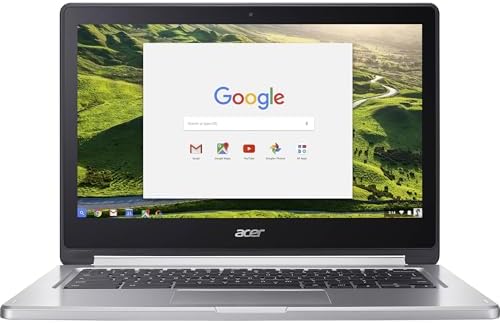
View our detailed analysis on how the Acer Chromebook R 13 performs in various tasks.
What to Do When You Fall Between Two 2-in-1 Laptop Display Sizes?
If your requirements fall between two common sizes, such as 13 inches and 15 inches, you should evaluate your most frequent use case. If you spend 80% of your time on a desk, the larger 15-inch option provides more room for tools and windows. If you spend 80% of your time moving between meetings or locations, the 13-inch option provides the mobility required for a portable hybrid PC. Choose the size that supports your most frequent activity rather than your least frequent one.
Weighing 13-inch and 15-inch 2-in-1 laptops determines daily usability
You might also consider the weight of the device when choosing between these borderline cases. A 15-inch 2-in-1 laptop might offer more screen space, but it may weigh significantly more than a 13-inch model. How much weight are you willing to carry for an extra two inches of screen? If the weight difference is more than a few ounces, the smaller size may be more sustainable for daily use. If the weight difference is negligible, the larger screen offers more value for your work.
You can see our data-driven breakdown of how the Chromebook Flip C302 performs in daily use.
Prioritizing non-negotiable physical constraints simplifies 2-in-1 laptop selection
When requirements conflict, prioritize the physical constraint that is non-negotiable. If your bag cannot fit a 15-inch device, then 13 inches is your maximum. If your work requires a minimum amount of screen space to be productive, then 13 inches is your minimum. Identifying these hard limits first simplifies the decision. You can then select the largest size that fits within your physical constraints or the smallest size that meets your productivity requirements.
Parents can find details on how the Tanoshi Kids Laptop performs for younger users.
Checking return policies helps verify 2-in-1 laptop dimensions in person
Because manufacturers often have different manufacturing standards for their chassis, it is also worth checking the return policy for the specific model you consider. If you are unsure if a 15-inch 2-in-1 laptop will feel too large in your hands, a clear return window allows you to verify the physical dimensions in your own space. This removes the risk of being stuck with a device that does not fit your lifestyle.
The other hybrid laptop guides we have published
ExtremeSpec is reader-supported: some links on this page are affiliate links, and as an Amazon Associate ExtremeSpec earns from qualifying purchases at no extra cost to you. Learn more.