Can the ZimaBoard 2 1664 Mini Server support GPU cards for local AI models?
ExtremeSpec is reader-supported: some links on this page are affiliate links, and as an Amazon Associate ExtremeSpec earns from qualifying purchases at no extra cost to you. Learn more.
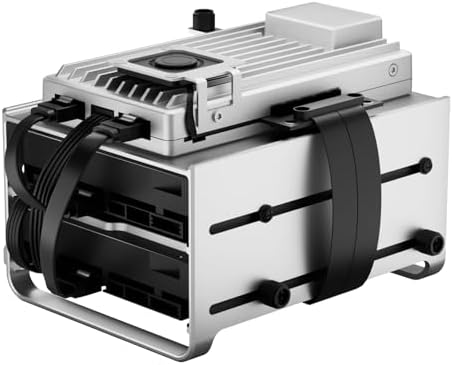
You must identify a server with a physical PCIe slot before attempting to attach a card with CUDA cores, which are the processing units that accelerate AI tasks. If you do plan to use an external GPU, you must first verify your power supply can provide enough wattage to the external unit.
ZimaBoard 2 1664 mini server lacks GPU expansion for local AI
The Zimaboard 2 1664 is a compact mini server, a small computer designed to run background tasks like hosting websites or managing files. While it features a 3.6GHz N150 quad-core processor and 16GB of DDR5 RAM, it lacks the internal expansion path required for standard graphics cards. This limitation is critical for local AI because most large language models require the specialized hardware of a GPU to run at usable speeds. We selected this model for our comparison because it represents a high-efficiency entry point for home lab users. Because this is a fanless or low-airflow design, adding any high-heat components would lead to thermal throttling, which is a performance drop caused by excessive heat. The hardware requirements for the software side, such as specific drivers for CUDA or ROCm, are also not stated in the data.
You can find more specific details in the Zimaboard 2 1664 FAQ section.
What to Check Before Buying the Zimaboard 2 1664
Mini server buyers must verify these specific hardware constraints before assuming the device can handle heavy AI workloads:
- Verify the presence of a physical PCIe slot for internal GPU installation.
- Check if your specific AI software requires CUDA cores for hardware acceleration.
- Confirm your power source can support a secondary power supply for an external GPU.
- Ensure your workspace has enough ventilation to prevent thermal throttling during long tasks.
Comparing the Zimaboard 2 1664 to Other Mini Servers
The Zimaboard 2 1664 sits in a category of high-efficiency, low-power servers that prioritize compact size and energy savings over raw expansion. If you need to run large local AI models that require a dedicated GPU, you should look at larger tower servers or desktop workstations that include full-sized PCIe slots. These larger systems provide the physical space and power overhead that a compact board like this cannot provide. For users who only need to host a personal website or a firewall, the dual 2.5GbE ports and 16GB of RAM provide a capable and efficient solution.
For a side-by-side look, see how the Zimaboard 2 1664 compares to others.
If you need to run heavy local AI models on dedicated hardware, you should choose a larger server with a PCIe slot. If you only need to host a home database or a web server, the Zimaboard 2 1664 is a suitable choice.