
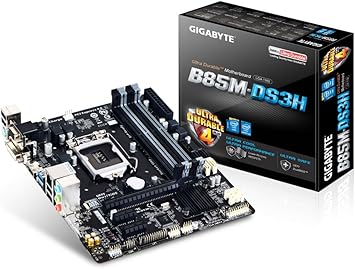
GIGABYTE GA-B85M-DS3H-A (rev. FBA GA-B85M-DS3H
Category: CPU-Motherboards
The GIGABYTE GA-B85M-DS3H-A (rev. 1.0) is a micro-ATX motherboard designed for Intel‘s LGA 1150 socket, offering reliable performance for home office computing. This budget-friendly board provides essential connectivity options including Gigabit Ethernet, multiple USB ports, and dual monitor support through HDMI and DVI outputs, making it suitable for productivity-focused workstations that handle everyday office tasks.
Understanding GIGABYTE GA-B85M-DS3H-A Specifications and Compatibility
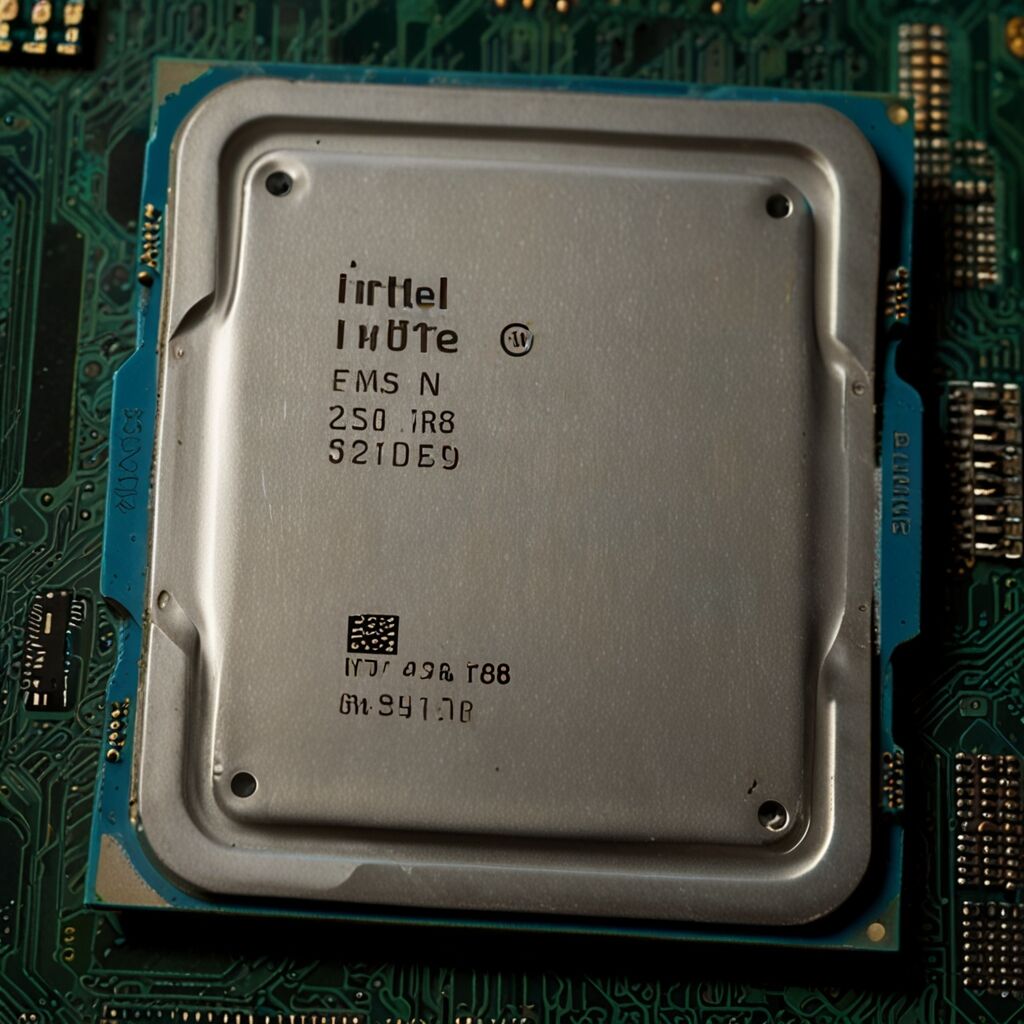
The GA-B85M-DS3H-A motherboard supports 4th generation Intel Core processors, including i3, i5, and i7 models that use the LGA 1150 socket. This motherboard accommodates up to 32GB of DDR3 memory across four DIMM slots, with speeds ranging from DDR3-1066 to DDR3-1600. The B85 chipset provides basic features suitable for office work, though it lacks advanced overclocking capabilities found in higher-end chipsets. Users should note that selecting appropriate processors enhances overall system performance for typical office applications like document editing, web browsing, and video conferencing.
What are the key benefits of using GA-B85M-DS3H-A for home office work?
The primary benefits include reliable stability for everyday computing tasks, integrated Realtek audio that supports clear communication during video calls, and multiple connectivity options that eliminate the need for additional expansion cards. The motherboard’s compact micro-ATX form factor fits well in smaller office spaces while providing essential features like four RAM slots for future memory upgrades. Built-in Gigabit Ethernet helps consistent internet connectivity for remote work, while the dual monitor support allows users to extend their workspace across multiple displays for improved productivity.
What limitations should users consider before choosing this motherboard?
Key limitations include the older B85 chipset that lacks modern features like M.2 SSD support, USB 3.1, or advanced overclocking capabilities. The motherboard only supports DDR3 memory, which is slower and more expensive than current DDR4 or DDR5 standards. Users requiring intensive multitasking or demanding applications may find the 4th generation processor support limiting compared to current-generation systems. Additionally, the integrated graphics options are basic and may not handle modern video editing or graphics-intensive work efficiently.

Installation Process and Component Requirements
The GIGABYTE GA-B85M-DS3H-A motherboard includes features that require careful installation planning to help optimal performance. Essential components include a compatible LGA 1150 processor, DDR3 memory modules, and a power supply unit with at least 24-pin ATX and 8-pin CPU power connectors. The installation process involves securing the motherboard with six standoff screws, connecting primary power cables, installing memory modules in alternating slots for dual-channel performance, and ensuring proper thermal paste application between the CPU and cooler.
How much does a complete GA-B85M-DS3H-A home office system typically cost?
A complete system using the GA-B85M-DS3H-A typically ranges from $300-600 depending on component choices and current market prices. The motherboard itself usually costs between $60-120 when available, though older components may have limited availability. Additional costs include a compatible processor ranging from $50-200 for used 4th generation Intel CPUs, DDR3 memory typically costing $30-80 for 8-16GB, and a suitable power supply around $40-80. Users should factor in potential compatibility issues and limited upgrade paths when considering this older platform for new builds.
Optimizing GA-B85M-DS3H-A Performance for Office Productivity
Performance optimization involves selecting appropriate components that complement the motherboard’s capabilities without exceeding its limitations. Installing dual-channel DDR3 memory improves system responsiveness, while adding a solid-state drive provides faster boot times and application loading compared to traditional hard drives. Proper cooling solutions help maintain stable temperatures during extended work sessions, though the office workload typically doesn’t stress the system significantly. Regular BIOS updates and driver maintenance help compatibility with modern software and peripheral devices.
What specific steps help optimal cooling and stability?
Optimal cooling requires adequate case ventilation with at least two case fans – one intake and one exhaust – to maintain proper airflow around the motherboard components. The CPU cooler should match the processor’s thermal design power, with stock coolers typically sufficient for office workloads. Maintaining clean components through regular dust removal prevents thermal buildup that can affect stability. Applying quality thermal paste between the CPU and cooler helps efficient heat transfer, while monitoring temperatures using software like Core Temp helps identify potential cooling issues before they impact system performance.