
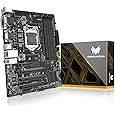
A Hackintosh is a non-Apple computer that runs macOS through specialized bootloaders and drivers. The Gigabyte LGA 1150 H87 motherboard provides excellent compatibility for Hackintosh builds, supporting Intel’s 4th generation processors while offering stable performance for macOS installations at budget-friendly prices.

What Is a Hackintosh and Why Choose the H87 Motherboard?
A Hackintosh refers to installing Apple’s macOS operating system on non-Apple hardware, which typically costs significantly less than genuine Mac computers. The Gigabyte H87 motherboard supports this project through its robust chipset compatibility, extensive connectivity options, and proven track record in the Hackintosh community. This approach allows users to experience macOS while maintaining the flexibility to upgrade individual components as needed.
The H87 chipset offers several advantages for macOS installations, including native support for Intel’s integrated graphics, multiple SATA connections for storage flexibility, and sufficient USB ports for peripherals. However, building a Hackintosh violates Apple’s software license agreement and voids hardware warranties, requiring users to accept these legal and support limitations before proceeding.
Essential Components for Your H87 Hackintosh Build
Essential components for a successful H87 Hackintosh build include the Gigabyte GA-H87M-D3H motherboard, a compatible Intel Core i5-4670 or Core i7-4790 processor, 16-32GB of DDR3 RAM, and a dedicated graphics card. The motherboard supports up to 32GB of memory through four DIMM slots, providing ample capacity for professional macOS applications. Storage requirements include at least a 256GB SSD for optimal performance, though traditional hard drives work for budget builds.
Graphics card selection significantly impacts compatibility, with NVIDIA GTX 1060 and AMD Radeon RX 580 cards offering proven macOS support through available drivers. The GA-H87M-D3H features six SATA connectors for multiple storage devices, eight USB ports for peripherals, and integrated Realtek audio that works well with macOS after proper driver installation. Power supply requirements typically range from 500-650 watts depending on your chosen graphics card and additional components.
How Much Does an H87 Hackintosh Build Cost?
Building a Hackintosh using the H87 motherboard typically costs between $400-700, significantly less than comparable Mac systems. A basic build with an Intel Core i5-4670, 16GB RAM, and integrated graphics costs around $400-500, while high-performance configurations with dedicated graphics cards and 32GB RAM reach $600-700. Used components can reduce costs further, though compatibility research becomes more critical when purchasing older hardware.
Cost considerations include the motherboard ($80-120), compatible processors that enhance coding performance ($150-300), RAM modules ($60-150), and storage devices ($50-200). Additional expenses might include a compatible WiFi card ($30-50) and specific cables for older hardware connections, making thorough planning essential for budget management.

Installation Process and BIOS Configuration
Installing macOS on the Gigabyte H87 motherboard involves creating a bootable USB installer using tools like UniBeast or gibMacOS, then configuring specific BIOS settings for compatibility. Critical BIOS adjustments include enabling UEFI boot mode, disabling Secure Boot, setting SATA operation to AHCI mode, and configuring integrated graphics settings appropriately. These modifications help the bootloader can properly initialize macOS during the installation process.
The installation process requires downloading macOS from Apple’s servers, creating the bootable installer on an 8GB+ USB drive, and preparing necessary drivers called kexts for hardware functionality. Bootloader configuration through Clover or OpenCore enables the system to boot macOS while providing essential hardware compatibility patches. Proper thermal management helps maintain stable temperatures during intensive installation procedures.
What macOS Versions Work Best with H87 Hardware?
macOS Mojave (10.14) and Catalina (10.15) provide the best compatibility with H87 chipset hardware, offering stable performance and broad application support. These versions include native drivers for many H87 components while maintaining compatibility with older Intel integrated graphics found on 4th generation processors. Newer macOS versions like Big Sur require additional patches and may experience reduced compatibility with older hardware.
Version selection depends on your intended use case, with Mojave recommended for maximum stability and Catalina for users requiring newer application compatibility. High Sierra (10.13) also works well but lacks some modern features, while newer versions beyond Catalina become increasingly difficult to maintain on aging H87 hardware.
Common Challenges and Troubleshooting Solutions
Common H87 Hackintosh issues include audio problems, WiFi connectivity challenges, and occasional boot failures requiring specific driver installations and configuration adjustments. Audio typically requires installing AppleALC kext and configuring codec-specific settings, while WiFi functionality often needs a compatible card replacement since many built-in adapters lack macOS support. Boot issues frequently stem from incorrect bootloader configuration or missing essential kexts for hardware initialization.
Troubleshooting strategies include checking bootloader logs for error messages, verifying kext compatibility with your macOS version, and consulting Hackintosh community forums for hardware-specific solutions. Performance optimization for streaming applications may require additional configuration when using the H87 platform for content creation workflows.
What Are the Limitations of H87 Hackintosh Builds?
H87 Hackintosh limitations include potential software update complications, missing features like Handoff and AirDrop, and occasional application incompatibility with non-genuine Mac hardware. System updates require careful evaluation since new macOS versions can break existing configurations, necessitating bootloader updates and driver compatibility verification. Additionally, some professional applications may detect non-genuine hardware and refuse to run properly.
Performance limitations emerge from aging hardware specifications, with 4th generation Intel processors lacking modern instruction sets and efficiency improvements found in newer chips. The H87 chipset also limits expansion options compared to modern platforms, restricting future upgrade paths and advanced connectivity features like Thunderbolt support.
Alternatives and Upgrade Considerations
Alternative motherboard options for Hackintosh builds include newer LGA 1151 platforms with H170 or Z170 chipsets, offering better compatibility with recent macOS versions and improved performance potential. Users seeking genuine Mac experiences might consider purchasing used Mac Mini or iMac systems, which provide official support and seamless software updates without compatibility concerns.
Upgrade considerations include the limited lifespan of H87 hardware support in future macOS releases and the availability of replacement parts for aging components. Modern Hackintosh builds benefit from newer platforms that support current processors, faster RAM standards, and contemporary connectivity options like USB-C and M.2 storage interfaces.
Who Should Consider Building an H87 Hackintosh?
H87 Hackintosh builds suit enthusiasts comfortable with technical troubleshooting, budget-conscious users needing macOS compatibility, and learners exploring operating system installation procedures. This platform works well for users with existing H87 hardware who want to experiment with macOS without purchasing new equipment. Additionally, developers requiring macOS for iOS app development but working within tight budget constraints often find H87 Hackintosh builds meet their basic needs effectively.
However, users requiring reliable daily-use computers, those uncomfortable with command-line troubleshooting, or professionals depending on warranty support should consider genuine Mac hardware instead. The H87 platform particularly benefits hobbyists and students learning about computer hardware and operating system compatibility rather than production users requiring not guaranteed uptime.