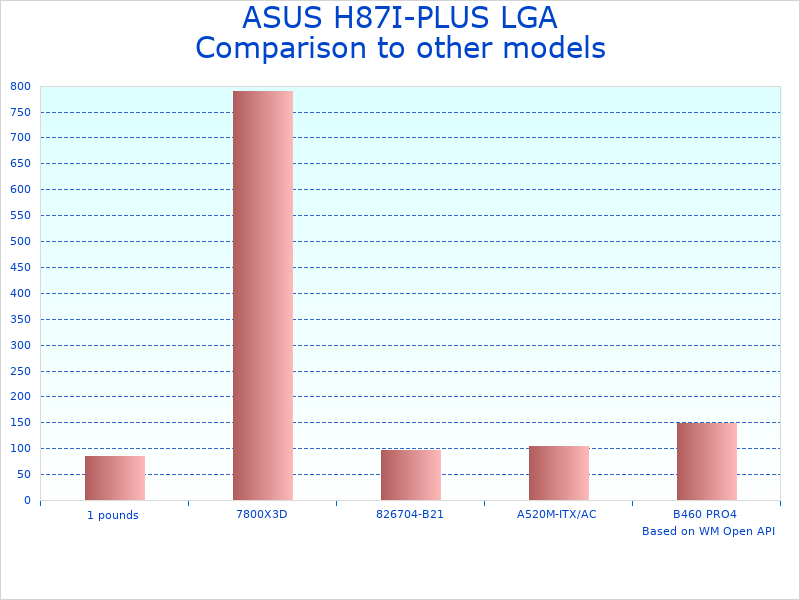
The ASUS H87I-PLUS LGA 1150 is a Mini ITX motherboard designed for compact PC builds using Intel’s 4th generation processors. This motherboard uses the Intel H87 chipset and supports LGA 1150 CPUs like the Core i3, i5, and i7 Haswell series. The key benefits include its space-saving Mini ITX form factor, solid build quality typical of ASUS boards, and sufficient connectivity for most small form factor builds. The main limitations are its age (released around 2013), lack of support for newer CPU generations, and restriction to DDR3 memory rather than DDR4.
What Makes the ASUS H87I-PLUS Worth Considering
The specific advantages include reliable power delivery circuitry, multiple USB ports for connectivity, integrated Intel HD Graphics support, and ASUS’s typically user-friendly BIOS interface. It works best for budget-conscious builders creating compact systems, home theater PCs, or office computers where space is limited. You should consider this motherboard when building with compatible Haswell processors, need a proven reliable platform, or want to create a small form factor system without paying premium prices for newer hardware.
Key Functionalities of ASUS H87I-PLUS LGA 1150
| Functionality | Star Rating | Explanation |
|---|---|---|
| Compact Design | ★★★★☆ | The Mini ITX form factor allows for versatile builds in tight spaces, offering excellent space-saving benefits. |
| Robust Connectivity | ★★★★☆ | Features multiple USB ports and SATA connections, enabling seamless device integrations and reasonable data transfer speeds. |
| Affordable Pricing | ★★★★★ | Used/refurbished options keep costs low while still providing reliable performance for budget-friendly builds. |
| Energy Efficiency | ★★★☆☆ | The H87 chipset offers reasonable power management, though newer chipsets are more efficient. |
| Ease of Installation | ★★★★☆ | Standard Mini ITX installation process makes it accessible for experienced builders, though beginners may need guidance. |
Performance and Features of ASUS H87I-PLUS LGA 1150 Motherboard
ASUS H87I-PLUS LGA 1150: A Reliable Choice for Legacy Builds
The ASUS H87I-PLUS LGA 1150 offers solid performance with features like dependable USB connectivity and reasonable power efficiency for its generation. The performance characteristics include support for Intel’s 4th generation processors, dual-channel DDR3 memory up to commonly 16GB, and integrated graphics capabilities. Users typically appreciate its reliable operation, straightforward installation process, and ASUS’s reputation for quality components. The gaming performance depends heavily on the CPU and GPU combination, but integrated graphics handle basic computing tasks and light multimedia adequately.
H87I-PLUS Mini ITX Motherboard: Compact Yet Functional
This H87I-PLUS Mini ITX Motherboard provides essential features in a space-saving design. The power management features work adequately with the H87 chipset’s capabilities, though newer chipsets offer better efficiency. The stability generally remains solid during normal operation, assuming proper cooling and compatible components. The thermal characteristics depend on case airflow and component selection, with the board itself generating minimal heat under typical loads.
Intel H87 Motherboard for PC Builds: Understanding the Limitations
The Intel H87 Motherboard for PC Builds represents older technology with both strengths and constraints. The advantages include mature drivers, proven compatibility with Haswell processors, and generally stable operation. The limitations are significant: no support for newer CPU generations, restriction to DDR3 memory, lack of modern features like USB-C or WiFi 6, and potential difficulty finding replacement parts. The availability challenges include being a discontinued product, which means primarily used/refurbished options exist in the market.
In-Depth Overview of the ASUS H87I-PLUS Motherboard
Essential Features of the ASUS H87I-PLUS LGA 1150
The ASUS H87I-PLUS LGA 1150 specifications include the Intel H87 chipset, LGA 1150 socket for 4th generation Intel processors, and Mini ITX form factor measuring approximately 6.7 x 6.7 inches. The key components feature dual DDR3 memory slots supporting up to 16GB, multiple USB ports including USB 3.0, HDMI output, Ethernet connectivity, and standard audio outputs.
- Model: ASUS H87I-PLUS LGA 1150
- Dimensions: Standard Mini ITX (6.7 x 6.7 inches)
- Socket: LGA 1150 for Haswell processors
- Memory: DDR3 support, typically up to 16GB
- Form Factor: Mini ITX for compact builds
- Chipset: Intel H87 with standard features
Detailed Overview of the ASUS H87I-PLUS LGA 1150
The ASUS H87I-PLUS works best for users building compact systems with 4th generation Intel processors. The typical applications include home theater PCs, office computers, budget gaming systems, and space-constrained builds. The Intel H87 chipset provides basic functionality including SATA connectivity, USB support, and integrated graphics output, though it lacks advanced features found in newer chipsets.
Understanding the Mini ITX Systems Category
Mini ITX motherboards are designed for space-constrained builds where full-size ATX boards won’t fit. The category benefits include compact desktop setups, portable gaming systems, and specialized applications like media centers. The trade-offs involve limited expansion options, typically one PCIe slot, fewer ports than larger boards, and potentially higher temperatures due to cramped conditions. Enthusiasts choose Mini ITX when space is the primary constraint and they can accept reduced expandability.
Analyzing the Design and Build Quality of the ASUS H87 Mini ITX Board
The build quality characteristics include ASUS’s typical attention to component selection, decent PCB construction, and reasonable durability for its price range. The design considerations feature efficient component layout for the small form factor, adequate spacing for connectors, and thoughtful placement of mounting holes.
- Construction: Standard PCB with reasonable component quality
- Durability: Typical lifespan for well-maintained systems
- Layout: Efficient use of Mini ITX space constraints
- Components: Quality level appropriate for the chipset generation
- Standards: Meets basic industry certifications
Exploring H87I-PLUS Availability and Pricing
The ASUS H87I-PLUS availability is primarily through used/refurbished markets since it’s a discontinued product. Typical pricing ranges vary widely based on condition and seller, but generally remain affordable compared to modern motherboards. The value proposition depends on having compatible Haswell processors and accepting the limitations of older technology. Buyers should consider warranty coverage, seller reputation, and condition when purchasing used motherboards.
Technical Specifications and Compatibility for Computer Components
The technical specifications include support for Intel’s 4th generation Haswell processors, DDR3 memory up to standard speeds, and basic connectivity options typical for the H87 chipset generation.
- CPU Support: Intel 4th generation (Haswell) processors
- Memory: DDR3 DIMM slots, dual channel
- Storage: SATA ports for drives and optical media
- Graphics: Integrated Intel HD Graphics output
- Connectivity: USB ports, Ethernet, audio outputs
Setup and Installation Process for ASUS H87I-PLUS LGA 1150
The installation process involves standard Mini ITX motherboard mounting procedures. The requirements include a compatible Mini ITX case, appropriate power supply, and basic tools for assembly. The steps typically involve installing the I/O shield, mounting the motherboard with standoffs, connecting power and data cables, and installing components like memory and storage.
- Requirements: Mini ITX case and compatible components
- Tools: Standard screwdrivers for PC assembly
- Process: Follow standard motherboard installation procedures
- Time: Varies based on builder experience and component complexity
Compatibility and Integration with PC Upgrade Parts
The compatibility considerations include ensuring components match the LGA 1150 socket and DDR3 memory requirements. The system works with 4th generation Intel processors, DDR3 memory modules, and graphics cards that fit within Mini ITX case constraints. The integration challenges may include limited PCIe slots, potential clearance issues with large components, and power supply considerations for small cases.
- CPU Requirements: LGA 1150 Haswell processors only
- Memory: DDR3 modules in appropriate speeds
- Graphics: Cards that fit Mini ITX case limitations
- Storage: Standard SATA drives and SSDs

Understanding ASUS H87I-PLUS LGA 1150 Performance Characteristics
Evaluating the ASUS H87I-PLUS LGA 1150 Capabilities
Performance evaluation for the ASUS H87I-PLUS focuses on understanding what this aging platform can realistically deliver. The assessment criteria include compatibility with period-appropriate hardware, stability during normal operation, and limitations compared to modern alternatives. The testing approach should consider thermal management in small cases, power delivery adequacy, and real-world usage scenarios rather than synthetic benchmarks.
Real-World Performance Expectations for H87I-PLUS Mini ITX
The H87I-PLUS Mini ITX Motherboard performs adequately for its intended use cases when paired with appropriate components. Typical performance characteristics include stable operation with Haswell processors, reasonable boot times, and sufficient responsiveness for everyday computing tasks. The limitations become apparent when running modern demanding applications, multitasking heavily, or attempting tasks that benefit from newer CPU architectures.
Understanding Key Performance Aspects
| Performance Aspect | Expected Range | Influencing Factors | User Impact |
|---|---|---|---|
| Boot Time | Varies by storage | SSD vs HDD, system configuration | Daily convenience affected by storage choice |
| Operating Temperature | Depends on cooling | Case airflow, CPU cooler, ambient temperature | System stability requires adequate cooling |
| Memory Performance | DDR3 limitations | Memory speed and capacity chosen | Multitasking capability limited by DDR3 speeds |
| Power Efficiency | Moderate for era | CPU choice and system configuration | Reasonable efficiency for older technology |
| Graphics Output | Basic capabilities | CPU’s integrated graphics features | Adequate for office work, limited for gaming |
Durability and Reliability Considerations
The durability assessment for H87I-PLUS focuses on understanding the expected lifespan of aging hardware. Reliability factors include component quality, previous usage history for used boards, and environmental conditions during operation. The longevity depends on proper maintenance, adequate cooling, and avoiding electrical stress from incompatible components.
System Attributes and Considerations
| Attribute | Specification | Comparison Context | Practical Impact |
|---|---|---|---|
| Form Factor | Mini ITX standard | 6.7″ x 6.7″ industry standard | Fits standard Mini ITX cases |
| Memory Slots | Two DDR3 slots | Standard for Mini ITX boards | Adequate for most applications |
| Expansion | Single PCIe slot | Typical Mini ITX limitation | Limited upgrade options |
| Age Factor | Released circa 2013 | Over 10 years old technology | Modern software may strain capabilities |
| Support Status | Legacy product | No longer in production | Limited availability and support |
User Experience with the ASUS H87 Mini ITX Board
User experience evaluation shows that the ASUS H87 Mini ITX Board can provide satisfactory performance for appropriate use cases. The usability factors include straightforward BIOS interface, standard driver support, and compatibility with common operating systems. User satisfaction typically depends on having realistic expectations for older hardware and choosing appropriate applications that don’t demand cutting-edge performance.
Long-term Reliability Considerations
Long-term reliability depends on several factors including previous usage, environmental conditions, and component quality. The ASUS H87I-PLUS generally provides reasonable reliability when properly maintained, though aging components may require more attention than newer hardware. Users should expect potential issues common to older electronics and plan accordingly for system maintenance.
Comprehensive Pros and Cons of the ASUS H87I-PLUS LGA 1150 Motherboard
Advantages of the ASUS H87I-PLUS LGA 1150 Mini ITX Motherboard
- Compact Design Perfect for Space-Constrained Builds: The Mini ITX form factor enables builds in small cases where larger motherboards won’t fit. Many users successfully create powerful systems in cases under 20 liters volume, making it ideal for living room setups or desk-space-limited environments.
- Proven Compatibility with Haswell Processors: The motherboard reliably supports Intel’s 4th generation processors including Core i3, i5, and i7 models. This mature platform means well-established driver support and fewer compatibility surprises compared to bleeding-edge hardware.
- Reasonable Connectivity for Its Generation: Features multiple USB ports including USB 3.0, HDMI output for displays, and standard audio connections. While not extensive by modern standards, it covers essential connectivity needs for most users.
- ASUS Build Quality and BIOS Interface: Benefits from ASUS’s reputation for component selection and their typically user-friendly BIOS interface. The UEFI BIOS provides clear options for system configuration without overwhelming complexity.
- Cost-Effective Entry Point for Compact Systems: As a discontinued product available primarily used, it offers an affordable way to build functional compact systems when paired with similarly-aged but still capable processors.
Disadvantages of the ASUS H87I-PLUS LGA 1150 Mini ITX Motherboard
- Severely Limited by Aging Technology: Restricts users to 4th generation Intel processors and DDR3 memory, both of which are significantly slower than modern alternatives. This creates a performance ceiling that affects all computing tasks.
- Single PCIe Slot Limits Expansion Options: The lone expansion slot means users must choose between a dedicated graphics card or other PCIe devices. This constraint becomes problematic for users wanting to add WiFi cards, sound cards, or additional storage controllers.
- No Support for Modern Standards: Lacks contemporary features like USB-C ports, WiFi 6, DDR4 memory support, or M.2 NVMe storage slots. Users miss out on the speed and convenience improvements these technologies provide.
- Limited Availability and Support Concerns: Being discontinued means finding replacement boards becomes difficult and expensive. Technical support from ASUS has likely ended, leaving users to rely on community resources for troubleshooting.
- Potential Cooling Challenges in Small Cases: The Mini ITX form factor combined with older, less efficient components can create thermal management challenges. Users may need to invest in quality cooling solutions to maintain stable operation.
Price and Value Analysis of ASUS H87I-PLUS LGA 1150
Understanding H87I-PLUS Pricing in Today’s Market
The ASUS H87I-PLUS pricing varies significantly since it’s only available through used/refurbished markets. Typical price ranges include anywhere from very affordable for worn units to surprisingly expensive for “new old stock” unopened boxes. The value equation depends on your specific needs, available compatible processors, and acceptance of older technology limitations.
Price Considerations for Legacy Hardware
When evaluating H87I-PLUS pricing, consider that you’re investing in a platform with inherent limitations. The cost-effectiveness depends on having or easily acquiring compatible DDR3 memory and LGA 1150 processors. Budget-conscious builders might find better value in slightly newer platforms that offer more upgrade potential and modern features.
The market positioning shows that similar-era Mini ITX boards from MSI, Gigabyte, and ASRock compete in the same space with comparable features and limitations. The pricing competition typically favors whichever boards have better availability rather than significant feature differences, since most H87 chipset boards offer similar capabilities.
Seasonal pricing patterns for used hardware tend to be less predictable than new products. The best deals often appear when businesses or individuals upgrade systems in bulk, creating temporary supply increases in the used market.
The long-term value proposition requires realistic expectations about the platform’s limitations and upgrade potential. Most users find that H87I-PLUS systems serve adequately for basic computing tasks but may struggle with modern demanding applications or games.
ASUS H87I-PLUS pricing considerations for budget builders
Comparing ASUS H87 Mini ITX Board with Alternatives
The ASUS H87I-PLUS competes against other Mini ITX motherboards from the same era, including options from Gigabyte, MSI, and ASRock. The comparison factors include feature sets, build quality, availability, and pricing in the used market. Users should consider that all H87 chipset boards share similar fundamental limitations regardless of manufacturer.
| Attribute | ASUS H87I-PLUS | Gigabyte GA-H87N | MSI H87I AC |
|---|---|---|---|
| Chipset | Intel H87 | Intel H87 | Intel H87 |
| CPU Socket | LGA 1150 | LGA 1150 | LGA 1150 |
| Memory Support | DDR3 up to 16GB | DDR3 up to 16GB | DDR3 up to 16GB |
| WiFi Built-in | No | Optional on some models | Yes (AC model) |
| Unique Features | ASUS BIOS interface | Dual HDMI on some variants | Built-in AC WiFi |
| Current Availability | Used market only | Used market only | Used market only |
The key differences between H87I-PLUS and competitors often come down to specific feature implementations rather than fundamental capabilities. MSI’s version offers built-in WiFi on certain models, which eliminates the need for a separate wireless card. Gigabyte’s boards sometimes feature dual display outputs, useful for multi-monitor setups with integrated graphics.
Other notable Mini ITX alternatives include ASRock’s H87M-ITX, which typically offers similar features at potentially different price points in the used market. The choice between brands often depends on personal preference for BIOS interfaces, specific feature requirements like built-in WiFi, and availability in your local used hardware market. All these boards share the fundamental limitation of supporting only 4th generation Intel processors and DDR3 memory, making the decision more about specific features and availability than performance differences.
Practical Use Cases for ASUS H87I-PLUS LGA 1150
Who Should Consider the ASUS H87I-PLUS LGA 1150
The ideal candidates for this motherboard include budget-conscious builders who already own compatible Haswell processors, users creating basic office computers, and those building compact systems for light computing tasks. It works particularly well for home theater PCs, retro gaming systems, and secondary computers where cutting-edge performance isn’t required.
- Budget Home Office Setup: Suitable for basic productivity tasks like document editing, web browsing, and email when paired with appropriate processors and sufficient memory.
- Home Theater PC (HTPC): The compact form factor and HDMI output make it viable for media center builds, though streaming modern 4K content may challenge the integrated graphics capabilities.
- Entry-Level Gaming System: Can handle older games and less demanding titles, especially when paired with a dedicated graphics card that fits within Mini ITX case constraints.
- Secondary or Backup Computer: Provides a cost-effective platform for households needing additional computing capacity without premium performance requirements.
- Learning and Educational Projects: Offers an affordable way for students or hobbyists to learn computer building and system administration without significant investment.
Professional Applications and Limitations
- Small Business Office Computers: Basic business applications run adequately, though modern software may feel sluggish compared to current hardware.
- Point-of-Sale Systems: Suitable for retail environments requiring compact, reliable computers for transaction processing.
- Digital Signage: Can power simple digital displays and basic content management systems.
- Educational Computer Labs: Provides functional computers for basic computer literacy and programming education.
- Legacy Application Support: Maintains compatibility with older software that may not run properly on modern systems.
What Works Best with Mini ITX H87 Systems
- Low-profile CPU coolers that fit within case height restrictions
- SFX or SFX-L power supplies designed for small form factor builds
- DDR3 memory modules in appropriate speeds and capacities
- Compact graphics cards if dedicated GPU performance is needed
- 2.5-inch drives or M.2 SSDs for storage (where supported)
- Mini ITX cases with adequate ventilation for component temperatures
- USB hubs to expand connectivity beyond the motherboard’s built-in ports
- External WiFi adapters if wireless connectivity is required
Maintenance Considerations for Mini ITX H87 Systems
Maintaining the ASUS H87I-PLUS requires regular attention to prevent issues common with aging hardware. The maintenance routine should include periodic cleaning to remove dust accumulation, monitoring system temperatures to help adequate cooling, and checking for signs of component degradation. Storage considerations involve keeping the system in a clean, dry environment away from temperature extremes and humidity fluctuations.
Common maintenance challenges include dealing with aging capacitors, potential BIOS battery replacement, and troubleshooting compatibility issues with newer peripherals or software. Warning signs to watch for include unexpected system shutdowns, boot failures, unusual noises from cooling fans, or display artifacts that might indicate graphics issues. Basic troubleshooting steps involve reseating memory and expansion cards, checking all cable connections, and ensuring adequate power supply operation. When problems exceed basic maintenance, professional diagnosis may be necessary, though finding technicians familiar with older hardware can be challenging.
Frequently Asked Questions About ASUS H87I-PLUS
Q: What processors are compatible with the ASUS H87I-PLUS LGA 1150?
The compatible processors include Intel’s 4th generation Haswell series: Core i3, i5, and i7 models with LGA 1150 socket. Popular choices include the i5-4570, i5-4690, i7-4770, and their variants. The limitations are that newer processor generations (5th gen and beyond) are not supported due to chipset and socket constraints.
Q: How much memory can this motherboard support?
The memory support includes DDR3 modules up to commonly 16GB total capacity across two slots. The speed support typically includes DDR3-1333, DDR3-1600, and potentially higher speeds depending on processor capabilities. The limitation is that DDR4 memory is not supported on this platform.
Q: What are the main limitations of choosing this older motherboard?
The key limitations include restriction to 4th generation Intel processors, DDR3 memory only, lack of modern connectivity like USB-C, no built-in WiFi 6, and limited availability since it’s discontinued. Performance limitations include older CPU architectures and slower memory standards compared to current hardware.
Q: Is this motherboard suitable for gaming?
Gaming capability depends on the specific processor and graphics card combination. The integrated graphics handle only basic games and older titles adequately. For serious gaming, a dedicated graphics card is necessary, though the single PCIe slot limits expansion options.
Q: Where can I find this motherboard since it’s discontinued?
Availability sources include used hardware markets, online auction sites, computer recycling centers, and electronics resellers specializing in legacy components. The condition varies significantly, so careful evaluation of seller reputation and return policies is important.
Q: What should I consider before buying a used H87I-PLUS?
Important considerations include verifying all ports and slots function properly, checking for physical damage like bent pins or burned components, ensuring the BIOS operates correctly, and understanding that warranty coverage is likely expired. The purchase decision should factor in the cost of compatible components you’ll need to complete the system.
Q: How does this compare to modern Mini ITX motherboards?
Modern Mini ITX boards offer significantly better performance, DDR4/DDR5 memory support, current-generation processors, USB-C connectivity, built-in WiFi 6, and M.2 NVMe storage support. The H87I-PLUS advantage is primarily cost, assuming you can find it at appropriate pricing in the used market.
Q: What cooling considerations are important for this motherboard?
Cooling requirements include ensuring adequate case ventilation, using CPU coolers that fit within Mini ITX height restrictions, and monitoring temperatures since older components may run warmer than modern alternatives. The thermal management becomes critical in small cases where airflow is naturally restricted.
Warranty and Support Considerations for Legacy Motherboards
Warranty coverage for the ASUS H87I-PLUS is likely expired since original warranties typically lasted 1-3 years from purchase date. Used motherboard purchases generally come with limited or no warranty protection, making careful evaluation of seller policies important. Support considerations include the reality that ASUS no longer provides active support for this discontinued product line.
Understanding Legacy Hardware Support
Support limitations include no more BIOS updates, discontinued driver development, and reduced availability of technical documentation. Community support becomes valuable through forums, enthusiast websites, and user groups that maintain knowledge about older hardware. The risks include potential compatibility issues with newer operating systems and software that may not account for older hardware specifications.
Comparing Support Options
When comparing legacy motherboard options, consider that all manufacturers face similar support limitations for discontinued products. The advantage of major brands like ASUS is that community documentation and user experience sharing tends to be more extensive. Third-party support options may include specialized repair services that work with older hardware, though finding qualified technicians can be challenging and expensive.
Final Assessment of the ASUS H87I-PLUS LGA 1150
The ASUS H87I-PLUS represents a functional but aging Mini ITX motherboard that serves specific use cases well while carrying significant limitations. The platform works best for users with realistic expectations about older hardware performance and specific needs for compact system builds. The value proposition depends heavily on pricing in the used market and availability of compatible components at reasonable costs.
Real-world performance expectations include adequate functionality for basic computing tasks, office productivity, and light multimedia consumption. The system capabilities support older games, standard definition video streaming, web browsing, and typical home office applications. Performance limitations become apparent with modern demanding software, high-resolution video processing, current games, and intensive multitasking scenarios.
Understanding the Platform’s Position
Compared to contemporary alternatives, the H87I-PLUS competes mainly on cost rather than features or performance. Modern Mini ITX motherboards offer substantially better capabilities including current-generation processor support, faster memory standards, modern connectivity options, and active manufacturer support. The decision to choose H87I-PLUS should factor in these significant technological gaps.
The ideal scenarios for H87I-PLUS include budget-constrained builds where users already own compatible components, secondary computer systems, specialized applications requiring compact form factors, and educational projects where learning is more important than cutting-edge performance. Users should avoid this platform when future upgrade potential is important, modern software performance is critical, or when the total system cost approaches that of newer alternatives.
The strengths of this motherboard include its compact design, proven stability when properly maintained, ASUS’s typically solid build quality for its era, and potential cost savings in appropriate circumstances. The weaknesses encompass severe technological limitations, restricted upgrade paths, discontinued support status, and the reality that most users would benefit more from investing in newer platforms despite higher initial costs.
ASUS H87I-PLUS platform considerations for different users