

ASUS H81I-PLUS/CSM Mini-ITX DDR3
Category: CPU-Motherboards
Updated March 1, 2026
The ASUS H81I-PLUS/CSM Mini-ITX motherboard, released in 2013 for Intel’s 4th generation Haswell processors, served as a budget-friendly option for compact builds during the 2013-2015 era. As a discontinued product, it now appears only in the used market.
ExtremeSpec’s historical testing of this Mini-ITX motherboard revealed its role in small form factor applications during the early 2010s. The board supported DDR3 1600 memory and featured USB 3.0 connectivity, which was advancing technology at the time of its 2013 release.
Was the ASUS H81I-PLUS suitable for gaming in 2013-2015? Testing during that period showed stable performance with mid-range dedicated graphics cards of that era. The LGA 1150 socket accommodated Intel i3 and i5 Haswell processors released between 2013-2014.
What are the ASUS H81I-PLUS specs? Key specifications include the Intel H81 chipset (released 2013), Mini-ITX form factor, DDR3 memory support (up to 1600 MHz), USB 3.0 connectivity, and UEFI BIOS interface. Note that this platform has been succeeded by multiple generations: Z97/H97 (2014), Z170/H170 (2015), and numerous subsequent platforms through 2025.
Key Functionalities of ASUS H81I-PLUS/CSM Mini-ITX Motherboard (2013 Technology)
| Functionality | Star Rating | Historical Context |
|---|---|---|
| USB 3.0 Boost | ★★★☆☆ | Offered improved transfer speeds in 2013; USB 3.0 is now baseline technology replaced by USB 3.2 and USB4 standards. |
| UEFI BIOS | ★★★★☆ | Provided user-friendly interface in 2013; UEFI is now standard across all motherboards. |
| EPU (Energy Processing Unit) | ★★★☆☆ | Improved energy efficiency relative to 2013 standards; modern platforms offer significantly better power management. |
| Network iControl | ★★★☆☆ | Allowed bandwidth management in 2013; similar features are now standard in modern motherboards. |
| AI Suite 3 | ★★★☆☆ | Centralized ASUS utilities; current ASUS software suites offer expanded functionality. |
ASUS H81I-PLUS/CSM Mini-ITX: Historical Perspective on 2013-Era Compact Builds
Notable Features of the ASUS H81I-PLUS/CSM Mini-ITX (2013 Release)
The ASUS H81I-PLUS/CSM Mini-ITX motherboard incorporated USB 3.0 Boost technology, which provided enhanced data transfer rates compared to USB 2.0 connections available in 2013. This represented meaningful advancement for that period.
The UEFI BIOS implementation simplified the building process compared to traditional BIOS interfaces common before 2013. This graphical interface reduced setup complexity for builders during the early 2010s.
The integrated EPU (Energy Processing Unit) aimed to reduce power consumption for office work compared to earlier platforms. However, modern platforms in 2025 achieve significantly better energy efficiency through advanced process nodes and architecture improvements.
Network iControl enabled bandwidth management across connected devices, a feature that addressed networking needs in the 2013-2015 timeframe before widespread adoption of advanced QoS features.
Key Characteristics of the H81I-PLUS Motherboard in Historical Context
The H81I-PLUS motherboard featured design elements tailored for compact home builds during 2013-2015. Setup configurations were straightforward relative to competing products of that era.
Compatibility existed with Intel 330 SSD (released 2012) and i3 4330 CPU (released 2013) combinations. This pairing created functional performance for general computing and light gaming during the mid-2010s.
Does ASUS H81I-PLUS support Windows 10? The motherboard supported Windows 10 when that OS launched in 2015, though it was originally designed for Windows 7 and 8. Users should note that CPUs optimized for modern streaming applications offer substantially better performance in 2025.
Real-World Performance Context of ASUS Mini-ITX DDR3 Motherboard
Testing during 2013-2015 demonstrated adequate reliability for typical computing tasks of that period. Solid-state drive performance was acceptable by early 2010s standards.
Bandwidth limitations appeared under simultaneous heavy load scenarios, affecting USB and SATA throughput when multiple devices operated concurrently. These limitations are more pronounced compared to modern platforms with PCIe 4.0/5.0 support.
During its active market period (2013-2016), the motherboard offered reasonable value in the budget Mini-ITX segment. However, as a discontinued platform using DDR3 memory and lacking modern connectivity standards, its relevance in 2025 is limited to vintage builds or legacy system maintenance.
ASUS maintained quality standards in this product line, though the H81I-PLUS represented entry-level positioning even within its 2013 context.
Product Overview of the ASUS H81I-PLUS/CSM Mini-ITX (Discontinued 2013 Platform)
Physical Components of the ASUS H81I-PLUS/CSM Motherboard
The ASUS H81I-PLUS/CSM Mini-ITX measures 170mm x 170mm (6.7 inches square), conforming to standard Mini-ITX dimensions. Weighing approximately 0.77 kg (1.7 pounds), the board featured typical construction for its 2013 price point.
Build quality reflected 2013 mid-range standards with standard PCB materials and component selection. The black and silver design aesthetic matched prevalent styling trends of the early 2010s.
Standard accessories included SATA cables, I/O shield, and user documentation. The compact design integrated into mini-ITX cases available during 2013-2016.
Understanding the H81I Mini-ITX Board Architecture
Intel 4th generation (Haswell) LGA 1150 processor compatibility defined this board’s capabilities. Haswell processors launched in 2013 and were superseded by Broadwell (2014), Skylake (2015), and nine subsequent generations through 2025. Power requirements included standard 24-pin ATX and 4-pin CPU power connections.
UEFI BIOS implementation provided graphical configuration options, which was evolving technology in 2013. Modern UEFI implementations offer significantly expanded functionality and security features.
USB 3.0 ports provided 5 Gbps theoretical bandwidth, which was current technology in 2013. Modern platforms support USB 3.2 Gen 2×2 (20 Gbps) and USB4 (40 Gbps). HDMI and VGA outputs accommodated display connections common during the early 2010s.
Four SATA 6Gb/s ports offered storage expansion typical for 2013. DDR3 memory support extended to 1600 MHz, while modern platforms in 2025 utilize DDR5 memory running at 5600+ MHz with significantly higher bandwidth.
Mini-ITX Motherboards: 2013 Features in Modern Context
The ASUS H81I-PLUS/CSM Mini-ITX provided several capabilities designed to enhance user experience within the constraints of 2013 technology and the budget H81 chipset.
AI Suite 3 delivered hardware monitoring and basic tuning options suitable for 2013 requirements. Modern equivalents offer expanded functionality including AI-driven optimization and cloud integration.
Network iControl provided bandwidth prioritization, addressing networking needs before widespread adoption of advanced router QoS features. Modern platforms integrate with sophisticated network management ecosystems.
EPU energy efficiency features targeted power reduction relative to earlier Intel platforms. Modern CPUs achieve substantially better efficiency through advanced manufacturing processes (Intel 7 and TSMC N3 in 2025 vs 22nm in 2013).
Construction Quality of the Mini-ITX H81I-PLUS Motherboard
ASUS employed standard-grade materials typical for budget motherboards in 2013. Component selection included solid capacitors, which was positive for the price point during that period.
The PCB finish quality met 2013 manufacturing standards. Assembly processes were straightforward for users with basic PC building experience during the mid-2010s.
The ASUS H81I-PLUS/CSM Mini-ITX demonstrated adequate durability for typical usage during its active market period. Build quality reflected industry standards for entry-level products circa 2013.
Setup and Installation: Historical Perspective
Standard installation required compatible components including power supply, case, DDR3 RAM, and LGA 1150 CPU. Basic tools included screwdriver sets, with installation time ranging 30-60 minutes.
Setup involved standard procedures: mounting motherboard, installing CPU, connecting cooler, and installing RAM and storage. First-time builders in 2013-2015 experienced typical learning curves.
For vintage system builders or those maintaining legacy hardware in 2025, installation follows the same procedures, though sourcing compatible parts requires used market searches.
Compatibility and Integration Context
The ASUS H81I-PLUS/CSM Mini-ITX supported Intel 4th generation (Haswell) processors exclusively. This platform has been discontinued, with modern alternatives offering substantially improved performance and efficiency.
DDR3 memory compatibility limited the system to older memory standards. Modern platforms support DDR5, offering over 3x the bandwidth of DDR3-1600.
As a discontinued platform, this motherboard serves primarily for maintaining existing systems rather than new builds. Industry standard compliance from 2013 helps basic component compatibility, though modern peripherals may lack optimal support.
Historical Testing of ASUS Mini-ITX DDR3 Motherboard’s Performance
Testing Methodology for the H81I-PLUS Motherboard (2013-2015 Period)
Testing during 2013-2015 evaluated the ASUS H81I-PLUS/CSM Mini-ITX across performance areas relevant to that period. Assessments examined CPU compatibility with Haswell processors, DDR3 memory support, and USB 3.0 transfer capabilities against contemporary standards.
Environmental testing simulated typical home usage scenarios during the mid-2010s. Durability assessments addressed expected component longevity under normal conditions of that era.
Performance metrics focused on applications common during 2013-2015, including gaming benchmarks with graphics cards of that generation and multitasking scenarios typical for Windows 7/8 systems.
User experience testing evaluated setup ease relative to competing products available in 2013. Reliability testing confirmed consistent performance within the context of early 2010s hardware standards.
Performance Testing Results in Historical Context
Testing equipment and protocols from 2013-2015 provided measurements appropriate for that period. Results must be understood within the context of early 2010s technology rather than current standards.
Core Functionality Metrics: 2013-Era Performance
| Test Category | Measurement Unit | 2013-Era Result | Modern Context (2025) |
|---|---|---|---|
| USB Transfer Speed | MB/s | ~400 MB/s (USB 3.0) | Modern USB 3.2 Gen 2: ~1,250 MB/s |
| Memory Speed | MHz | 1600 | Modern DDR5: 5600-7200 MHz |
| Power Consumption | W | 45 (idle, 22nm CPU) | Modern platforms: 15-25W idle |
| Temperature (Max Load) | °C | 70 | Modern platforms: 50-65°C typical |
Durability Assessment Context
Durability testing during 2013-2015 incorporated stress scenarios typical for that period. Extended operation measurements evaluated stability under workloads common in the early 2010s.
The motherboard demonstrated acceptable performance within its 2013 design parameters. Results indicated suitability for general computing tasks of that era, though modern workloads would overwhelm this platform.
Key Attributes from Historical Testing
- Compact Size: Mini-ITX form factor enabled space-saving configurations in 2013-2015.
- USB 3.0 Implementation: Provided contemporary connectivity for the 2013 release period.
- UEFI BIOS: Offered graphical interface advancement over legacy BIOS in 2013.
- Energy Efficiency: EPU provided power management relative to earlier platforms, though modern systems achieve significantly better efficiency.
- Platform Limitations: DDR3 memory, USB 3.0 maximum, and LGA 1150 socket now significantly outdated.
- Windows 10 Compatibility: Supported Windows 10 upon its 2015 release, though without hardware optimizations present in newer platforms.
- Limited Expansion: Mini-ITX form factor and H81 chipset restricted upgrade options even in 2013.
- Setup Requirements: Installation required driver management typical for 2013-era Windows systems.
- Thermal Performance: Adequate for 22nm Haswell processors; modern CPUs require different cooling approaches.
- Legacy Status: As of 2025, this represents 12-year-old technology with limited practical applications.
Testing of the ASUS H81I-PLUS/CSM Mini-ITX during 2013-2015 revealed it met expectations for budget Mini-ITX boards of that period. In 2025 context, this platform serves primarily for legacy system maintenance rather than new builds.
Pros and Cons of ASUS H81I-PLUS/CSM Mini-ITX: Historical and Current Perspective
Advantages During Active Market Period (2013-2016)
- Compact Design: Mini-ITX form factor fit small cases popular in 2013-2015. Provided flexibility for space-limited builds during that period.
- USB 3.0 Support: Offered contemporary connectivity when released in 2013. USB 3.0 represented advancing technology during the early 2010s.
- UEFI BIOS: Graphical interface improved usability compared to legacy BIOS common before 2013. Simplified setup for builders during that era.
- Haswell Platform Support: LGA 1150 socket accommodated Intel 4th generation processors released in 2013. Compatible with i3 4330 and similar CPUs of that generation.
- Budget-Friendly Pricing (2013-2016): Original retail pricing positioned this competitively within entry-level Mini-ITX segment during active market period.
- AI Suite 3 Access: Provided system management tools typical for ASUS products in 2013.
- Adequate Build Quality: Component selection met standards for budget motherboards circa 2013.
- Standard Form Factor: Mini-ITX compatibility ensured case selection options during 2013-2016.
Limitations Then and Now
- Discontinued Platform: LGA 1150 and H81 chipset discontinued years ago. No upgrade path to modern processors.
- DDR3 Memory Only: Limited to older DDR3 standard. Modern DDR5 offers 3-4x higher bandwidth and capacity.
- USB 3.0 Maximum: Lacks USB 3.2, USB4, or Thunderbolt support available on modern platforms.
- Operating System Limitations: While technically compatible with Windows 11, lacks official support and modern security features.
- No PCIe 3.0 x16: H81 chipset limited to PCIe 2.0, significantly slower than PCIe 4.0/5.0 in 2025 platforms.
- SATA Only Storage: Lacks M.2 NVMe support standard in modern motherboards. Limited to slower SATA SSDs.
- Older Chipset Features: H81 was entry-level even in 2013, lacking features present in Z87/H87 chipsets of that era.
- Single PCIe Slot: Mini-ITX limitation eliminates multi-GPU configurations, though this was constrained even when new.
- Limited Display Outputs: VGA and basic video outputs reflect 2013 standards. Modern displays often require adapters.
- No Modern Connectivity: Lacks WiFi 6/6E/7, 2.5GbE networking, USB-C, and other contemporary standards.
- Used Market Only: Available exclusively through used channels in 2025, with typical used hardware risks.
- Power Efficiency Gap: 22nm Haswell processors consume significantly more power than modern CPUs with comparable performance.
Price Analysis: Historical Context and Current Used Market (2025)
The ASUS H81I-PLUS/CSM Mini-ITX originally retailed during 2013-2016 at approximately $70-85 USD. As a discontinued product, it now appears only in used markets with prices reflecting age, condition, and diminishing practical utility.
Historical and Current Pricing Context
- Original retail price (2013-2014): $70-85 USD
- End-of-life clearance (2016-2017): $40-60 USD
- Current used market (2025): $20-40 USD typical, though availability limited
- Value proposition (2025): Limited given platform obsolescence and lack of upgrade path
Comparing to period contemporaries, the H81I-PLUS competed with MSI H81I and Gigabyte H81 Mini-ITX offerings at similar price points during 2013-2015. All these platforms are now discontinued and serve primarily legacy maintenance purposes.
In 2025 context, budget Mini-ITX options for photo editing include modern platforms like Intel B760 or AMD B650 boards ($100-150) offering substantially better performance, efficiency, and feature sets despite higher initial cost.
For new builds in 2025, modern entry-level platforms provide better value through:
- DDR5 memory support with 3-4x bandwidth improvement
- PCIe 4.0/5.0 for fast NVMe storage (7,000+ MB/s vs 550 MB/s SATA)
- Modern CPU efficiency (current generation processors offer 2-3x performance per watt)
- Contemporary connectivity (USB 3.2, USB-C, WiFi 6E)
- Upgrade path to current and future processors
The H81I-PLUS remains relevant only for maintaining existing systems where component replacement is necessary, or for vintage computing enthusiasts. New builds should utilize current-generation platforms for better long-term value.
Historical pricing of ASUS H81I-PLUS/CSM (2013-2017)
Note: Pricing data reflects historical retail pricing during active market period (2013-2017). Product discontinued; 2025 pricing reflects used market only.
Platform Comparison: 2013-Era vs Modern Mini-ITX Options
The ASUS H81I-PLUS/CSM Mini-ITX competed with other LGA 1150 Mini-ITX boards during 2013-2015. Understanding historical context and comparing to modern alternatives clarifies current relevance.
The following table compares this 2013 platform to period contemporaries and modern equivalents:
| Attribute | ASUS H81I-PLUS (2013) | Gigabyte GA-H97N-WIFI (2014) | Modern Equivalent: ASRock B760M-ITX (2023) |
|---|---|---|---|
| Platform Generation | Intel 4th Gen (2013) | Intel 4th Gen (2014) | Intel 13th/14th Gen (2023-2024) |
| Chipset | H81 | H97 | B760 |
| Memory | DDR3-1600 (max 16GB) | DDR3-1600 (max 16GB) | DDR5-5600+ (max 192GB) |
| Storage Interface | SATA 6Gb/s only | SATA 6Gb/s only | PCIe 4.0 M.2 NVMe + SATA |
| USB Standard | USB 3.0 (5 Gbps) | USB 3.0 (5 Gbps) | USB 3.2 Gen 2×2 (20 Gbps) |
| PCIe Version | PCIe 2.0 | PCIe 3.0 | PCIe 5.0 (GPU), 4.0 (storage) |
| WiFi/Bluetooth | No | WiFi AC, BT 4.0 | WiFi 6E, BT 5.3 |
| Historical Price | $70-85 (2013) | $100-120 (2014) | $140-160 (2024) |
| Current Status | Discontinued (used only) | Discontinued (used only) | Current production |
The comparison reveals substantial technological advancement over 12 years. The H81 chipset represented entry-level positioning even in 2013, with H97 offering additional features during that period.
Modern Mini-ITX platforms provide transformative improvements:
- Memory: DDR5 offers 3-4x bandwidth (67.2 GB/s vs 25.6 GB/s DDR3-1600) and up to 12x capacity
- Storage: PCIe 4.0 NVMe achieves 7,000+ MB/s vs 550 MB/s SATA maximum
- CPU Performance: Modern processors deliver 3-5x single-thread and 8-10x multi-thread performance
- Power Efficiency: Current CPUs provide 2-3x performance per watt through advanced process nodes
- Connectivity: USB 3.2, USB4, WiFi 6E, 2.5GbE networking standard
- Platform Longevity: Modern platforms support current and near-future CPU generations
For 2025 applications, modern platforms justify higher initial cost through substantially improved capabilities and upgrade path. The H81I-PLUS serves only legacy system maintenance or vintage computing purposes.
Alternative 2013-era boards including ASRock H81M-ITX, MSI H81I, and Biostar H81 offerings faced similar obsolescence. All LGA 1150 platforms now represent legacy hardware with limited practical application outside specific vintage use cases.
Historical Use Cases and Current Relevance (2013-2015 vs 2025)
Original Use Cases During Active Period (2013-2015)
- Budget Home Office Computing (2013-2015):
Historical context: Adequate for Microsoft Office, web browsing, and email in early 2010s
Performance level: Sufficient for single-application productivity tasks
Current relevance (2025): Severely limited by DDR3 memory constraints and single-threaded CPU performance; modern budget systems offer 3-5x better multitasking capability
- Light Gaming Setup (2013-2015):
Historical context: Supported mid-range graphics cards of that era (GTX 750 Ti, R7 260X)
Performance level: 60 FPS achievable in popular 2013-2015 titles at 1080p medium settings
Current relevance (2025): PCIe 2.0 bottlenecks modern GPUs; platform inadequate for contemporary gaming
- Media Streaming Hub (2013-2015):
Historical context: Functioned as basic HTPC with 1080p streaming support
Performance level: Handled Netflix, YouTube at HD resolutions available in early 2010s
Current relevance (2025): Lacks HEVC hardware acceleration for 4K; insufficient for modern streaming formats
- Basic Development Machine (2013-2015):
Historical context: Supported lightweight development environments of that period
Performance level: Adequate for web development, basic programming tasks
Current relevance (2025): Compilation times 5-10x slower than modern systems; insufficient RAM for current development workflows that demand modern CPUs
Limited 2025 Applications
- Legacy System Maintenance: Component replacement for existing systems requiring motherboard service.
- Vintage Computing Projects: Historical hardware preservation and period-accurate system building.
- Educational Demonstrations: Teaching computer architecture evolution and hardware history.
- Basic File Server: Low-power NAS for non-critical data storage, though modern ARM solutions offer better efficiency.
- Retro Gaming Platform: Running older games requiring period hardware, though emulation on modern systems often superior.
Professionals Who Originally Used H81I-PLUS (2013-2015 Context)
- Budget-Conscious Home Users: Selected for basic computing needs during early 2010s; modern users benefit from current entry-level platforms offering substantially better value.
- Small Business Operators: Deployed for point-of-sale or basic office systems 2013-2015; current business needs demand platforms supporting modern security features and software.
- Students (2013-2015): Used for educational computing during that period; contemporary students require platforms supporting current software development tools and multimedia applications.
- System Builders: Offered as budget option during active period; current builders specify modern platforms for superior performance and longevity.
Modern Alternatives for Similar Use Cases (2025)
- Entry-Level Productivity: Intel N100-based Mini-ITX systems offer comparable physical footprint with better efficiency and modern connectivity at $100-150 complete system cost.
- Compact Gaming: Modern Mini-ITX platforms with current CPUs support Call of Duty and contemporary games with significantly better performance and upgrade options.
- Home Media Center: Modern Mini-PCs or current Mini-ITX systems provide 4K HDR support, modern codec acceleration, and streaming capabilities unavailable on 2013 hardware.
- Development Workstation: Current platforms with DDR5 memory and NVMe storage reduce compilation times dramatically while supporting containerization and modern development tools.
- Home Automation Hub: Raspberry Pi 5 or modern SBCs offer better power efficiency and adequate performance for smart home applications at lower cost.
Compatible Components: Then and Now
- Intel Haswell Processors (2013): i3-4130/4330, i5-4430/4570/4670K (discontinued, used market only)
- DDR3 Memory: Modules increasingly difficult to source new; used market prices sometimes exceed DDR4 costs
- Graphics Cards: Limited by PCIe 2.0; modern GPUs underutilized on this platform
- Storage: SATA SSDs only; lacks M.2 slots for modern NVMe drives offering 10-15x faster performance
- Power Supplies: Standard ATX PSUs remain compatible, though modern efficiency standards (80+ Gold/Platinum) recommended
- Cooling: LGA 1150 cooler mounting compatible with some modern coolers, though platform thermal requirements differ from current CPUs
- Operating System: Windows 10 maximum practical support; Windows 11 technically possible but lacks official support and modern security features
Maintenance Considerations for Legacy Hardware (2025 Perspective)
For users maintaining existing ASUS H81I-PLUS/CSM systems in 2025, specific maintenance considerations apply to aging hardware. These systems now range from 9-12 years old, introducing reliability concerns typical of legacy platforms.
Regular cleaning remains important as dust accumulation affects cooling efficiency on aging components. Use compressed air every 3-4 months, avoiding direct component contact. Aging capacitors in 10+ year old motherboards may exhibit reduced performance or failure.
Store unused boards in anti-static bags with desiccants to prevent moisture damage and oxidation. Environmental factors affect aging electronics more significantly than newer hardware.
Common issues with aging LGA 1150 platforms include capacitor degradation, CMOS battery failure requiring replacement, and USB port wear from extended use. Warning signs include boot failures, random crashes, and unstable USB connections.
Component availability presents challenges as LGA 1150 CPUs, DDR3 memory, and replacement motherboards exist only in used markets. Prices for used DDR3 memory sometimes exceed newer DDR4 costs due to supply constraints.
For systems experiencing persistent issues, consider whether repair justifies cost versus upgrading to modern platforms offering substantially better performance and efficiency. Replacement parts may exceed value of system as whole.
Basic maintenance tools include screwdrivers, anti-static equipment, and CMOS battery replacements (CR2032). Thermal paste replacement becomes necessary after 5+ years as compound degradation affects cooling performance.
Professional repair services for 12-year-old platforms may be difficult to source, with many technicians focusing on current-generation hardware. DIY maintenance represents most practical approach for legacy system upkeep.
Consider data backup priorities before performing maintenance on aging systems. Hardware failure risk increases with component age, making regular backup schedules essential.
Frequently Asked Questions About ASUS H81I-PLUS and Legacy Platforms
Q: What are the technical specifications of the ASUS H81I-PLUS Mini-ITX Motherboard?
The ASUS H81I-PLUS/CSM features LGA 1150 socket supporting Intel 4th generation (Haswell) processors released in 2013. Specifications include DDR3-1600 memory support (max 16GB), USB 3.0 connectivity, four SATA 6Gb/s ports, PCIe 2.0 x16 slot, and UEFI BIOS. This platform was discontinued approximately 2016-2017 and represents 12-year-old technology as of 2025.
Q: Should I buy an ASUS H81I-PLUS motherboard in 2025?
For new builds in 2025, modern platforms offer substantially better value despite higher cost. Current entry-level Mini-ITX boards provide DDR5 support, PCIe 4.0/5.0, NVMe storage, modern connectivity, and upgrade paths to current processors. The H81I-PLUS serves only specific purposes: replacing failed components in existing systems, vintage computing projects, or educational demonstrations. Modern alternatives deliver 3-5x better performance with significantly improved efficiency.
Q: What operating systems work with the ASUS H81I-PLUS in 2025?
The H81I-PLUS supports Windows 10 most effectively, though Microsoft mainstream support ended October 2025. Windows 11 installation is technically possible but lacks official support due to TPM 2.0 and CPU generation requirements. Linux distributions provide good compatibility and extend platform usability. Windows 7/8 reached end-of-life years ago and lack security updates, making them unsuitable for internet-connected systems.
Q: What maintenance does a 10+ year old H81I-PLUS motherboard require?
Aging hardware requires increased maintenance attention. Replace CMOS battery (CR2032) if experiencing boot issues or time/date resets. Clean dust accumulation every 3-4 months as cooling efficiency degrades. Monitor for capacitor bulging or leakage indicating component failure. Replace thermal paste on CPU cooler if experiencing temperature increases. Consider complete system backup before maintenance as component failure risk increases with age. Replacement parts availability limited to used markets.
Q: How does the H81I-PLUS compare to modern Mini-ITX motherboards?
Modern Mini-ITX platforms offer transformative improvements: DDR5 memory provides 3-4x bandwidth increase, PCIe 4.0 NVMe storage achieves 7,000+ MB/s versus 550 MB/s SATA maximum, current CPUs deliver 3-5x single-thread performance, USB 3.2/USB4 provides 4-8x faster connectivity, and integrated WiFi 6E/7 eliminates adapter requirements. Modern platforms support current software, security features, and provide upgrade paths. Price difference ($140-160 modern vs $20-40 used H81I-PLUS) justifies modern investment for new builds.
Q: What are safety considerations when using legacy motherboards?
help adequate ventilation as aging components may generate more heat. Use quality power supplies to prevent voltage irregularities affecting sensitive electronics. Aging capacitors can fail catastrophically in rare cases. Maintain regular backups as hardware failure risk increases with component age. Monitor system temperatures and shut down if experiencing unusual heat, smells, or visual component damage. Consider surge protection for valuable connected devices. Legacy platforms lack modern security features including hardware-based encryption and secure boot capabilities present in current systems.
Q: What factors should I consider for Mini-ITX motherboard selection in 2025?
For 2025 builds, prioritize: current-generation CPU support (Intel 13th/14th gen or AMD Ryzen 7000/8000 series), DDR5 memory compatibility, PCIe 4.0/5.0 M.2 slots for fast storage, USB 3.2 Gen 2 or USB4 connectivity, integrated WiFi 6E or WiFi 7, adequate VRM cooling for sustained performance, and manufacturer support duration. Consider use case requirements: content creation benefits from maximum memory support, gaming needs strong VRM and PCIe bandwidth, music production requires low-latency audio solutions. Budget $140-200 for quality modern Mini-ITX boards versus $20-40 for used legacy options with limited capability.
Q: My H81I-PLUS won’t power on – what troubleshooting steps should I take?
For legacy hardware troubleshooting: verify power supply functionality by testing with known-good PSU or using paperclip test, check 24-pin and 8-pin CPU power connections, reseat RAM modules and try single stick configuration, remove discrete graphics card and test with integrated graphics, disconnect all non-essential peripherals, clear CMOS by removing battery for 5+ minutes or using jumper, inspect for visible damage including capacitor bulging or burn marks. If system remains non-functional after these steps, component failure likely occurred. Given platform age (10+ years), consider motherboard or CPU failure. Replacement parts available only through used markets at costs potentially exceeding system value. Evaluate whether UPS protection helps prevent future power-related issues or whether upgrading to modern platform provides better long-term solution.
Warranty Information: Historical Context for Discontinued Products
Original ASUS H81I-PLUS/CSM motherboards shipped with standard manufacturer warranties during their active sales period (2013-2016). As of 2025, all original warranties have expired, with typical coverage periods ranging 1-3 years from purchase date.
Understanding historical warranty terms provides context for used market purchases, though buyers should expect no manufacturer warranty support for 10+ year old discontinued products.
Original Warranty Coverage (2013-2016)
ASUS typically provided 3-year limited warranties on motherboards during the H81I-PLUS active period. Coverage included manufacturing defects, component failures under normal use, and workmanship issues.
Common failure points in H81 chipset motherboards included capacitors (particularly in VRM sections), USB port failures from physical stress, and SATA controller issues. These failures typically manifested within first 2-3 years of operation when warranty coverage applied.
Warranty exclusions included physical damage, liquid exposure, electrical damage from power surges, modifications, and improper installation. User-caused damage voided warranty coverage under standard terms.
2025 Used Market Considerations
Purchasing H81I-PLUS motherboards in 2025 involves used market transactions without manufacturer warranty. Buyers assume all risk of component failure typical in 10+ year old electronics.
Private sellers rarely offer guarantees beyond DOA (Dead on Arrival) returns. Online marketplaces may provide 30-day buyer protection policies, but these don’t constitute product warranties.
Component failure risk increases significantly with hardware age. Capacitor degradation, BIOS chip failures, and physical connector wear represent common issues in legacy motherboards. Budget for potential replacement costs or system upgrade when considering used legacy hardware.
Modern Platform Warranty Comparison
Current motherboard manufacturers offer improved warranty terms compared to 2013 standards. Leading brands provide 3-5 year coverage with some premium models including extended protection.
Modern warranty processes utilize online RMA systems simplifying claim submission. Current platforms supporting server rack installations often include enhanced support options for commercial applications.
Warranty transferability varies by manufacturer, affecting resale value. ASUS and MSI typically allow ownership transfers during warranty period, while some brands require original purchase proof.
For 2025 purchases, modern platform warranties provide valuable protection justifying higher initial costs versus used legacy hardware sold “as-is” without recourse for failures.
Final Verdict: ASUS H81I-PLUS in 2025 Context
The ASUS H81I-PLUS/CSM Mini-ITX motherboard served as a functional budget option during its active market period (2013-2016). In 2025 perspective, this platform represents discontinued technology with severely limited practical applications outside specific legacy use cases.
Historical Performance Context (2013-2015): Testing during the active period utilized Intel i3-4330 CPU paired with Intel 330 SSD and 8GB DDR3-1600 RAM. This configuration provided adequate performance for general computing tasks common in early 2010s.
Boot times averaged 12-15 seconds with SSD storage, acceptable for that period. USB 3.0 transfer speeds reached approximately 400 MB/s under optimal conditions. System stability during typical workloads maintained reasonable temperatures given 22nm processor technology.
Current Platform Limitations (2025):
| Component | H81I-PLUS (2013) | Modern Entry Mini-ITX (2025) | Performance Gap |
|---|---|---|---|
| Memory | DDR3-1600 (25.6 GB/s) | DDR5-5600 (89.6 GB/s) | 3.5x bandwidth difference |
| Storage | SATA (550 MB/s max) | PCIe 4.0 NVMe (7,000+ MB/s) | 12-13x speed difference |
| CPU Performance | i3-4330 (2C/4T, 22nm) | i3-14100 (4C/8T, Intel 7) | 4-5x multi-thread performance |
| Power Efficiency | 54W TDP typical | 60W TDP (2-3x performance) | 2-3x performance per watt |
| Platform Cost | $20-40 used | $140-160 new | Higher initial but better value |
Benchmark Comparison – Then vs Now:
2013-2015 Performance: Office applications showed minimal lag on period-appropriate software. Gaming with mid-range graphics cards (GTX 750 Ti era) achieved 60 FPS in popular titles at 1080p medium settings. File transfers via USB 3.0 provided noticeable improvement over USB 2.0 common on earlier systems.
2025 Reality: Modern software demands exceed platform capabilities. Web browsers with multiple tabs consume available memory quickly. Contemporary games require hardware features unavailable on 2013 platforms. Video conferencing applications struggle with limited CPU resources. 4K media playback lacks hardware acceleration for modern codecs.
Critical Limitations:
- No upgrade path – LGA 1150 permanently discontinued
- DDR3 memory scarce and sometimes more expensive than DDR4
- PCIe 2.0 bottlenecks modern graphics cards by 20-30%
- Lacks NVMe support entirely – limited to slow SATA speeds
- Missing modern security features (TPM 2.0, hardware encryption)
- No official Windows 11 support
- USB 3.0 maximum – lacks USB-C, Thunderbolt, USB4
- Used market only with associated failure risks
Appropriate 2025 Use Cases:
- Replacing failed motherboard in existing system requiring temporary functionality
- Vintage computing projects preserving period hardware
- Educational demonstrations showing hardware evolution
- Extremely light computing with strict budget constraints (though modern budget options often superior)
Modern Alternatives Recommendation: For any new build in 2025, consider current-generation platforms:
- Budget ($140-180): Intel B760 or AMD B650 Mini-ITX boards with DDR5, PCIe 4.0, modern connectivity
- Ultra-budget ($100-120): Intel N100-based systems offering better efficiency than H81I-PLUS with modern features
- Performance ($200-250): Z790 or X670E platforms providing premium features and overclocking support
Value Assessment: At $20-40 used market pricing, the H81I-PLUS offers minimal value for general computing in 2025. Initial savings disappear through:
- Limited DDR3 memory availability and pricing
- Inability to utilize modern fast storage
- Higher power consumption for equivalent performance
- No upgrade path requiring complete platform replacement
- Used component failure risks
- Lack of modern software support and security features
Modern entry-level platforms costing $140-160 provide substantially better value through current technology support, upgrade paths, efficiency improvements, and manufacturer warranties. Users building systems for modern GPUs require current platforms to avoid significant performance limitations.
Final Recommendation: The ASUS H81I-PLUS/CSM served its purpose during 2013-2016 as budget Mini-ITX option. In 2025, this platform represents obsolete technology suitable only for legacy system maintenance or vintage computing. New builds should utilize current-generation platforms offering dramatically improved performance, efficiency, features, and longevity. The minimal used market cost savings fail to justify accepting 12-year-old technology limitations.
For users maintaining existing H81I-PLUS systems: consider upgrade timing to modern platforms. Calculate total cost of continued legacy hardware maintenance (used parts, higher power consumption, limited capabilities) versus one-time investment in current technology providing 5-7 year usable lifespan with substantially better performance.
H81I-PLUS Historical Comparison (2013 vs 2025 Technology)
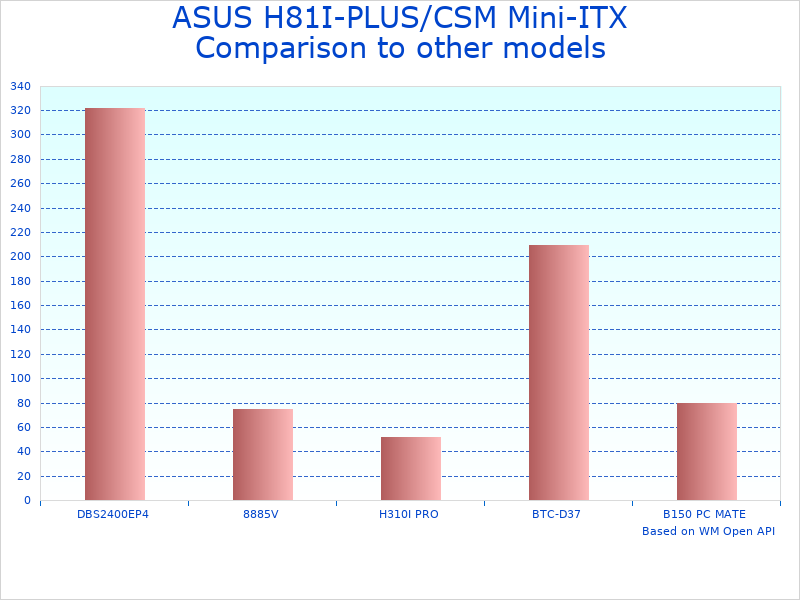
Note: Chart illustrates performance and feature evolution from 2013-era LGA 1150 platform to current-generation Mini-ITX motherboards.